

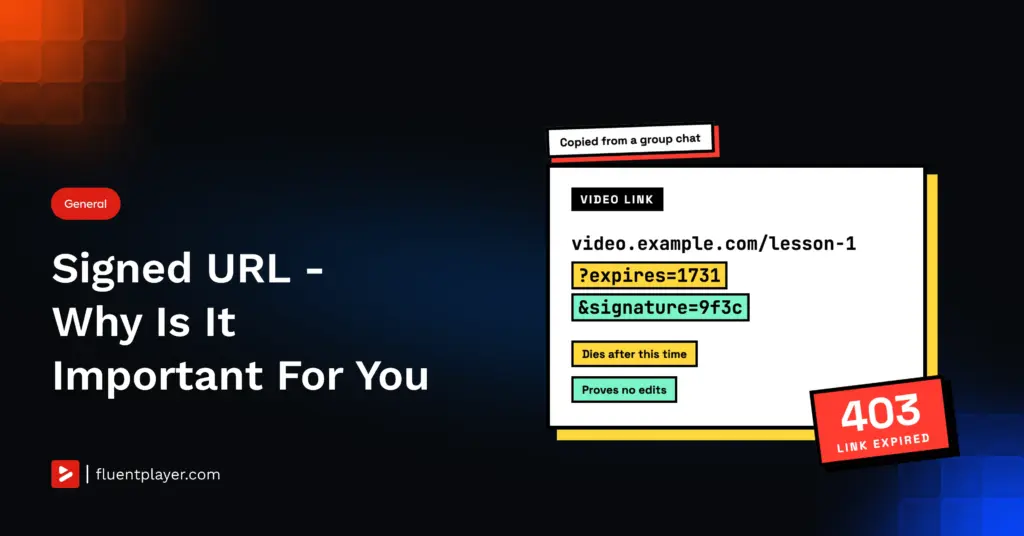
You sell a course. Lesson one sits on a page only logged-in students can reach. A student pastes the video’s address into a group chat, and by evening a stranger is watching lesson one without logging in or paying.
Nothing was hacked. The page was locked and the video wasn’t, and every trick people use to protect video (hiding the page, disabling right-click, tucking the embed behind a button) protects the page, not the address. A signed URL protects the address, though it covers less than most people assume, so it helps to know exactly what it does and doesn’t do.
TL;DR
- A hidden page does not protect the video, because the video’s address still works for anyone who copies it.
- A signed URL adds an expiry time and a server-made signature, so a copied link dies.
- It does not stop screen recording, and it is not DRM.
- You need one for paid courses and member lessons, not for public marketing video.
- In FluentPlayer it is a Pro feature that runs through Mux.
Where the Video Leak Happens
The tricks are not useless. Right-click blocking and a hidden download button stop casual visitors, and on a free marketing video that is all you need. The browser’s developer tools get around right-click blocking and show the video’s address, which is the one thing those tricks need to keep hidden.
Once that address is copied, your page no longer matters. A plain link works for whoever holds it, wherever they paste it, for as long as the file exists. The stranger in the group chat never saw your login page because they never needed to.
What a Signed URL Is
A signed URL is the same video address with two things added: an expiry time and a signature.
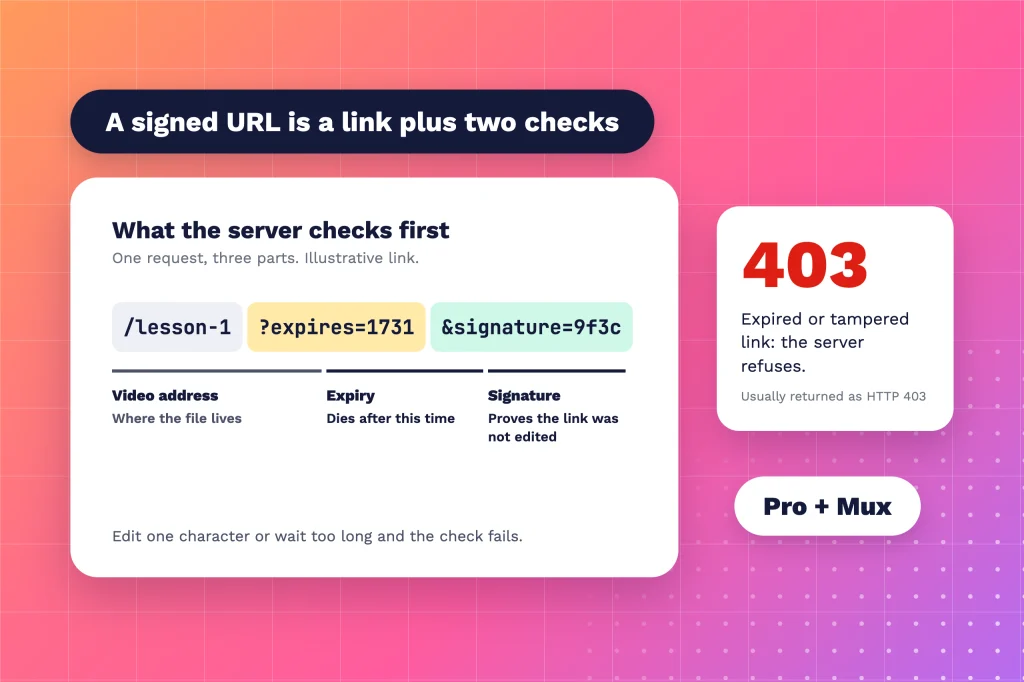
The signature comes from a secret key that only your server (or your video provider) holds. When the link is requested, the server recomputes the signature and checks the expiry before it sends a byte. Change one character in the link and the signature fails; wait past the expiry and the check fails. Either way you get a refusal, usually an HTTP 403. And because the key has to stay secret, the link is built on the server. Your visitor only ever sees the finished, short-lived result.
What It Fixes (and What It Doesn’t)
Signed URLs block hotlinking, where another site embeds your video file and spends your delivery on their traffic. They block scrapers that collect video addresses and fetch them next week. They also cut off the group chat link once it expires.
They do not stop sharing. A shared link keeps working until it expires, so if you set a one-hour window, the stranger gets up to an hour. Anyone holding a live link can also fetch the underlying segments if they are determined enough.
If the expiry is shorter than the video, the stream can cut off mid-lesson, and what happens to a stream already playing when the link expires depends on your provider, so check before you rely on it. A signed URL is also not DRM. It decides who can request the stream; DRM encrypts the stream so a copied file is useless. High-value content often uses both, and even then nothing on the delivery side stops someone pointing a recorder at their own screen.
When You Need a Signed URL for Video
Not every video needs one.
- Public marketing video, a product demo, a launch teaser: No. You want these shared, and a signed URL adds setup for protection you don’t need.
- A paid course, member-only lessons, client deliverables: Yes. This is the group chat case, and a signed URL is the direct fix.
- Premium training or licensed footage, where a leaked copy is costly: A signed URL helps but is not enough. Look at DRM too, and accept that no plugin can stop a determined person with a screen recorder.
How It Works in FluentPlayer
FluentPlayer is the player, not where you host WordPress video. Signed URLs run through Mux, the video delivery service, and they are a FluentPlayer Pro feature. With Signed URLs on, FluentPlayer requests short-lived signed playback URLs for the video, its thumbnails and its storyboards, using your Mux signing key.
- In Mux, go to Settings, then Signing Keys, and generate a key. Save the Key ID and the Secret Key.
- In WordPress, open FluentPlayer Pro, then Settings, then Storage, then Mux.
- Add the signing key details and turn on Signed URLs.
Mux’s own playback restrictions, such as allowed referrer domains, still apply on top. If you also need DRM, the Mux asset itself has to be configured for DRM in your Mux account; FluentPlayer then requests the license token so the player can play it. The FluentPlayer docs call that stronger than signed URLs alone.
Do not use the Public or Private setting as a stand-in for a signed URL. Each FluentPlayer media item has one, and Private makes the item’s dedicated player URL return a 404 to anyone who can’t edit the post. It covers that standalone page only; your embeds are untouched, because the page an embed sits on decides who sees them. A copied video address keeps working.
The Point of a Signed URL
A video can leak. A signed URL decides whether the leak is a one-time event or a permanent one.
Without a signed URL, the lesson in the group chat is free for as long as the file exists. With one, it is free until the link expires. Lock the page for the people who should see it, sign the link so nobody keeps it, and be honest with yourself about the screen recorder.
Setup takes a Mux signing key and one toggle. The steps are in the FluentPlayer Mux docs.