

The short-form vs long-form debate assumes you have an algorithm deciding who sees your content. You don’t. On your site, you control the placement, the context, and the player. That changes the decision entirely. This post breaks down what each format actually does on a website and where each one belongs.
TL;DR
- Short-form video works above the fold because visitors haven’t decided to stay yet.
- Long-form video belongs after trust exists, not at first contact.
- A 30-second autoplay clip on a landing page reduces friction before commitment is required.
- Chapters make long videos navigable without requiring viewers to rewatch from the beginning.
- The same page can carry both formats because they serve different moments of the same visit.
- FluentPlayer handles both formats on WordPress.
You Are Not Running a Social Feed
The short-form vs long-form debate in marketing content is an algorithm problem. TikTok, Instagram, and YouTube decide who sees what and when. You make the content. The platform decides who it reaches.
Your site is different. When someone lands on your product page or opens a course module, they arrived with a purpose. Through a search result, a recommendation, or a link they clicked on purpose. They arrived with intent already in place.
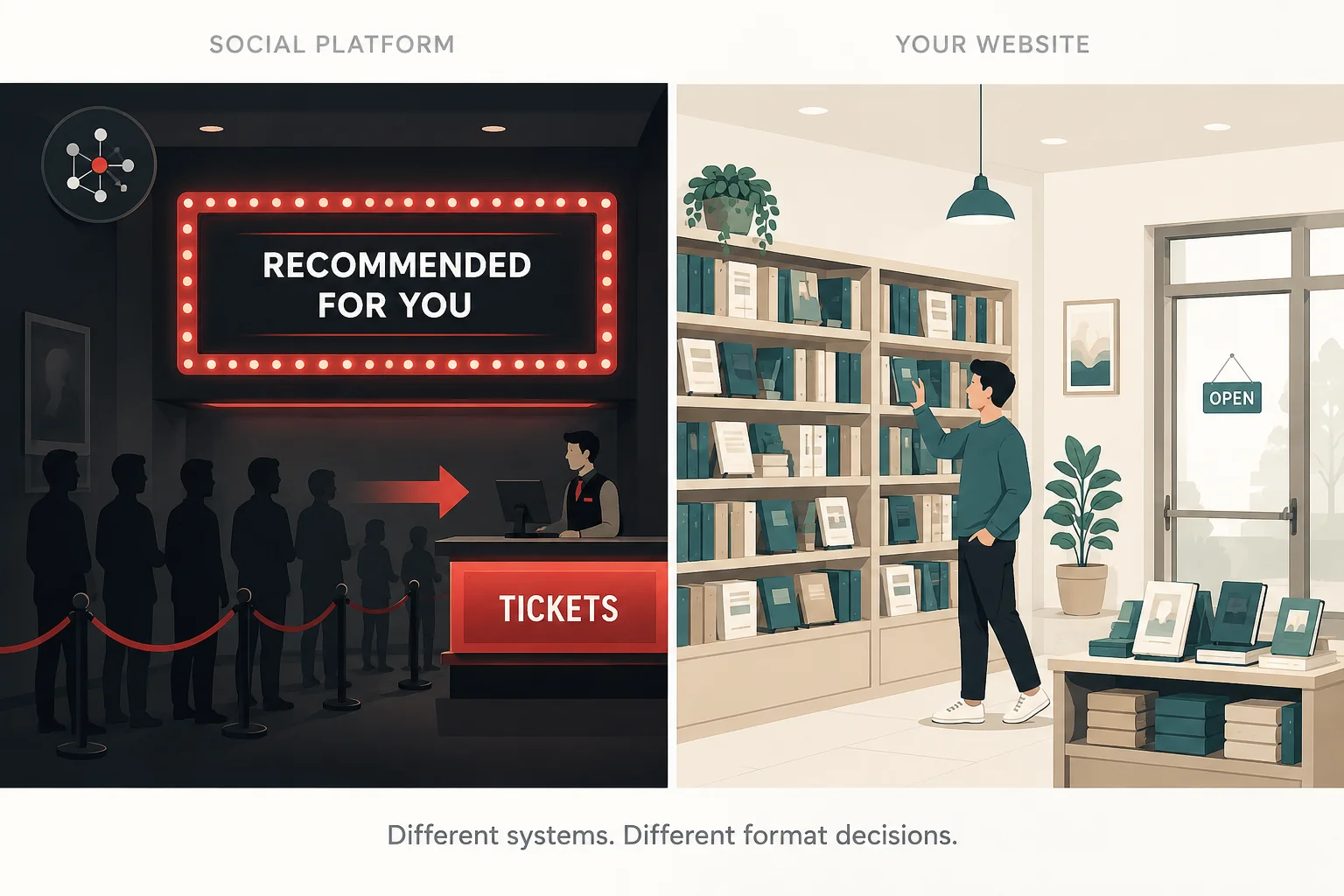
Think of it this way. Social platforms are a cinema where a curation team decides what plays in each theater. Your website is a bookshop. Visitors chose to walk in. You control what goes on the front shelf.
On your site, format is a placement decision.
Short-Form Video Has One Job on Your Site
Short-form video, anything under 90 seconds, has one job on your site. Earn attention before the visitor has decided to stay. It is a hook. That is its only function here.
The average visitor decides whether a page is worth their time before they scroll once. That window is measured in seconds. Short-form video exists to win that window before the visitor has committed to reading anything.
The attention window short-form is built for
Most visitors decide whether a page is for them before reading your headline fully. A page that doesn’t signal relevance in the first few seconds loses them. Not because the content is bad. Because the signal didn’t land in time.
A short video answers “is this for me?” faster than any other page element. It does not require reading or scrolling. It shows what you do in under 30 seconds, which is all the time the visitor has given you.
This is why autoplay muted matters for short-form above the fold. The video starts working the moment the page loads. The visitor doesn’t have to decide to press play. The signal is already arriving.
Where short-form earns its place
Above the fold
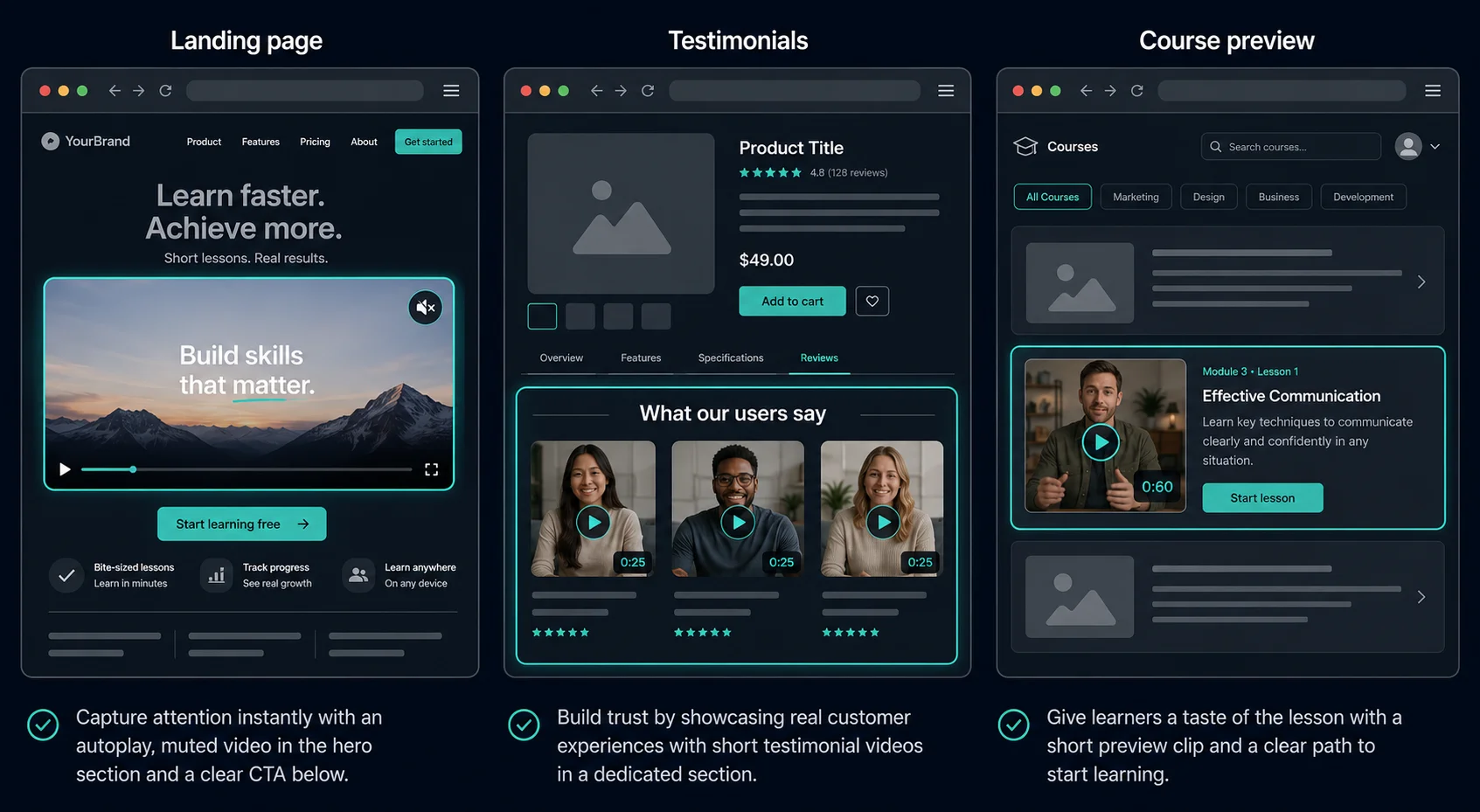
A visitor who just arrived on your landing page has not committed to anything. A 30-second autoplay muted clip showing your product in use answers “is this worth my time?” before they scroll. Work a headline alone cannot do.
Testimonials
People scan testimonials. They do not study them. A 25-second clip of a customer describing one specific result is enough. A 3-minute testimonial asks for commitment the visitor has not agreed to give.
Module previews
A 60-second preview before a 40-minute lesson resets attention. The student knows what they signed up for, but the preview reminds them why it matters before the session starts. Those 60 seconds affect completion.
Where short-form loses the viewer
Short-form fails in three specific situations.
Complex products
A 60-second walkthrough that skips context leaves the viewer more confused than before. You saved time. They left without understanding the product.
Sound-dependent clips
A visitor on a commute will not turn up the volume for a clip they have not decided is worth watching. Autoplay muted exists to solve this. Relying on audio without it doesn’t.
Research-intent pages
Someone on your comparison or documentation page is there to understand, not to be hooked. A 45-second clip at that moment is a mismatch, not a shortcut.
Long-Form Video Has a Different Job
Long-form video, anything over 8 minutes, does not win attention. It does not need to. The visitor who watches a 15-minute product walkthrough has already decided to invest their time. Long-form earns depth, not reach.
The mistake is treating it like extended short-form. A 15-minute video padded to fill 15 minutes performs worse than a tight 10-minute one. Long-form earns patience. The content has to justify the runtime.
The viewer long-form is built for
The visitor who scrolls past your hero section, reads your feature list, and reaches a product demo is not browsing. They are researching. They have questions that short-form answered at the top and need depth that short-form cannot provide.
This audience converts at a higher rate, not because long-form converts better by definition, but because the viewer who stays for 12 minutes was already closer to a decision. Long-form does not create that intent. It serves it.
This also means long-form on a discovery-intent page is a mistake. A visitor who hasn’t decided they care about your product is not ready to invest 12 minutes. Earn that commitment before asking for it.
Where long-form earns its place
Course libraries
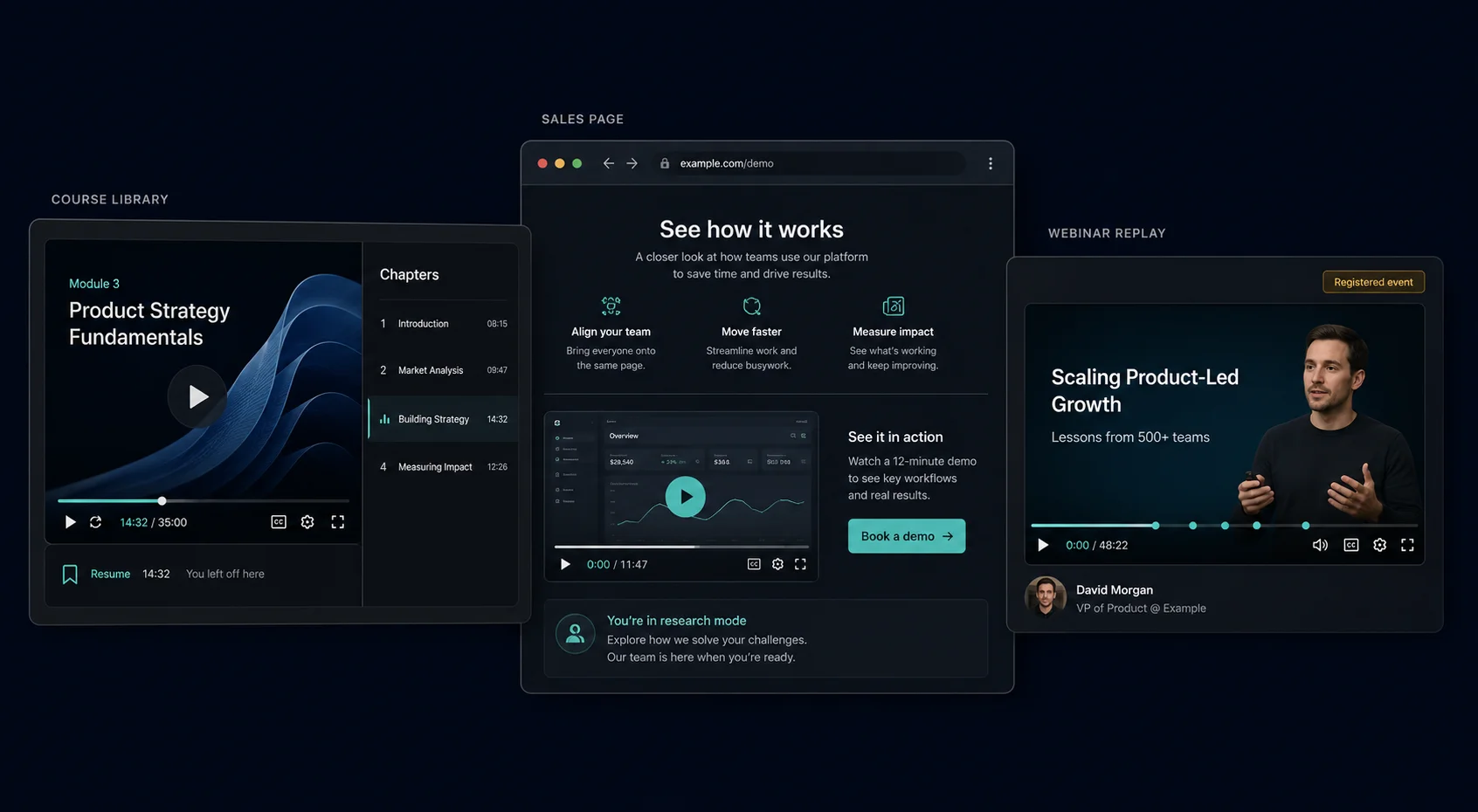
A student who has already enrolled is committed before pressing play. A 35-minute lesson with labeled chapters lets them navigate to what they need without rewatching. When they leave mid-lesson and return, playback memory means they pick up exactly where they stopped. That is a completion driver.
Sales page demo
Visitors who scroll past your pricing table to reach a product demo are doing research. They want detail, not a teaser. A 90-second overview at that stage leaves them with open questions and nowhere to resolve them.
Webinar replays
The viewer who registered and shows up to watch a replay is not a casual visitor. They chose to be there. A full-length replay with chapters serves that intent. A 5-minute highlight reel does not.
Where long-form asks too much
Long-form asks too much in three situations.
Above the fold
A first-time visitor has not committed 12 minutes before knowing if the product is right for them. Get the order right. Earn context before asking for time.
Padded runtime
A 20-minute video that could have been 8 minutes trains the viewer to trust your format judgment less. They exit early next time without giving the content a chance.
Testimonials
A 12-minute customer testimonial is no more convincing because it is longer. It is long because no one edited it. Credibility does not scale with runtime.
The Format Changes Which Player Features Matter
Short-form and long-form are not different lengths of the same thing. They make different demands on the viewer. A player that handles one well and ignores the other creates friction exactly when the video needs to work.
Think of it like a TV remote. A documentary needs a chapter skip and a progress bar. A 30-second ad would be ruined by both. The same logic applies to your site.
What short-form needs from a player
Short-form needs three things from a player:
- Fast load strategy – A landing page visitor is evaluating in real time. If the clip takes 4 seconds to appear, they have already left.
- Autoplay muted – The video should start working when the page loads, without asking the visitor to press play.
- Minimal controls – Chapters, playlists, and progress bars belong elsewhere. Adding them to a 45-second clip is clutter.
What long-form needs from a player
Long-form needs the opposite.A 35-minute course module without navigation tools leaves viewers with two options: rewatch from the beginning or quit.
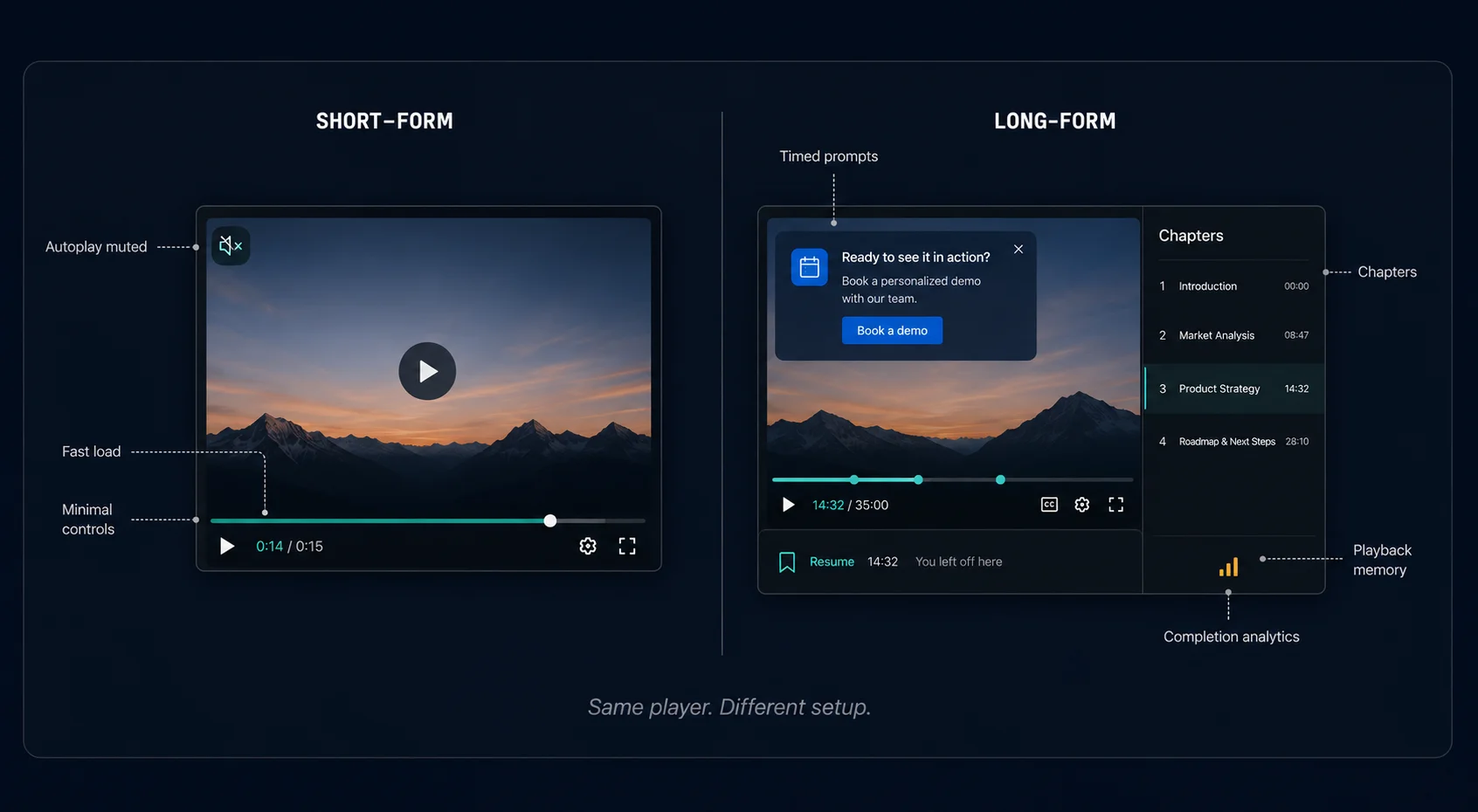
The features that make long-form content actually complete:
- Chapters – Let viewers jump to what they need without rewatching from the start.
- Playback position memory – Lets viewers leave mid-lesson and pick up exactly where they stopped.
- Completion rate analytics – Show you where viewers drop off, so you know if the problem is the hook, the pacing, or the structure.
- Timed prompts – A CTA at minute 2 of a 20-minute tutorial, right after you have delivered real value, converts differently than one that fires before the viewer has gotten anything.
Download FluentPlayer for free
Some Pages Need Both
A product page can open with a 30-second clip and include a 12-minute demo further down. The two videos do not contradict each other. They are serving different moments of the same visit.
Think about how a restaurant works. The chalkboard by the door announces the daily special in three words. That gets someone inside. The full menu is at the table. Same customer, different moment, different format.
Course sites use a short trailer on the enrollment page and long-form lessons inside the library. SaaS pages open with a 45-second product clip and include a 10-minute walkthrough below the CTA. Neither is inconsistent. Both are intentional.
Match the Format to the Moment, Not the Trend
Short-form belongs where attention hasn’t been granted yet. Long-form belongs where it has. That division is the whole decision. Once you know what a page is asking the visitor to do, the format picks itself. If you are setting up video on a WordPress site and want a player that handles both without switching tools, FluentPlayer is worth a look.