


Most websites have video now. A product demo on the homepage, a tutorial in the help docs, a course in the members area. The video is there. It plays.
Publishing a video and building a video experience are two different things. A video that plays is a start. What happens before the viewer presses play, and what they can do after the video ends, is where the real work is.
This guide covers what types of video actually work on a website, how to host and embed them well, what the best brands do differently, and how to build the kind of experience viewers remember.
TL;DR
- Video is now a core part of how people evaluate, trust, and buy from a brand, not just a marketing add-on
- Different video types serve different goals. Picking the right one for the right page matters more than production value
- MP4 is the format to default to. WebM as a backup. Everything else is either too heavy or too niche
- Where you host determines your cost, your control, and your page speed
- The best brands, Apple or Notion do not just publish video. They control the experience around it
- Most WordPress video players stop at playback. FluentPlayer adds lead capture, CTAs, chapters, analytics, and branding, all inside the player
Why Video Is Important
There was a time when video on a website was a signal, it meant the brand was serious, resourced, forward-thinking. That time has passed. Video is now the default. According to Wyzowl’s 2026 report, 91% of businesses use video as a marketing tool and 83% say it has directly increased sales.
The more useful question is not whether to use video. It is what role video is playing on your site and whether it is doing that role well.
Think about how you evaluate a product you have never bought before. You read a few reviews, maybe scan the homepage, and then you look for a video. Not because video is more convincing than text on paper. Because a good video shows you the thing working, the person using it, the result it produces. It compresses trust-building into two minutes.
That is what video does that nothing else does as efficiently. It is not just a marketing tactic. For most businesses, it is the fastest path from stranger to someone who is ready to buy.
That is why the player around the video matters. A video that plays is fine. A video experience that captures what the viewer is ready to give their email, their attention, their next click is what actually grows a business.
What Types of Videos Work On a Website
Knowing video matters is one thing. Knowing which type of video belongs where is what separates a thoughtful video strategy from a collection of uploads. Each type serves a different moment in the reader’s relationship with your brand.
Product demos
A product demo shows the thing working. Not described. Not illustrated. Working. When someone lands on your site without a clear picture of what you do, a two-minute demo does more than a full page of copy. The goal is to compress the gap between “what is this” and “I understand this and want it.” Keep it focused on one outcome, not a feature tour.
How-to and tutorial videos
Tutorial videos work because they give before they ask. Sephora built an entire content strategy around this, thousands of tutorials that teach makeup techniques using their products, without ever making the video feel like an ad.
The viewer learns something useful. The product is simply the tool they used to learn it. On a WordPress site, tutorials work best on product pages, help docs, and blog posts where the reader already has a specific question.
Explainer videos
Explainer videos are for complex products that cannot be understood from a screenshot or a headline. Notion does this well. Their videos do not list features. They show someone solving a real problem inside the product.
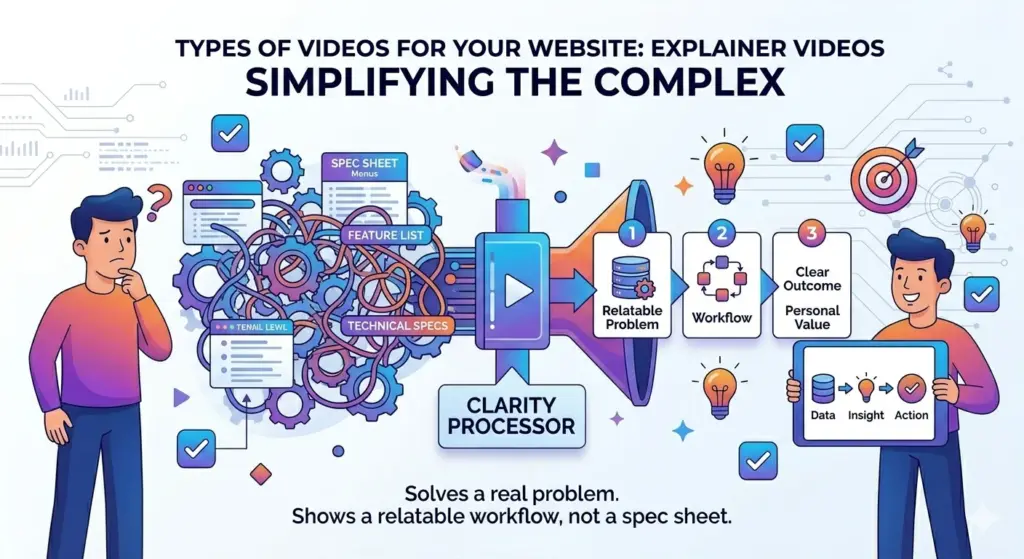
The viewer sees a workflow, not a spec sheet. The distinction matters. A feature list requires effort to translate into personal value. A workflow the viewer recognizes as their own does that translation automatically.
Testimonial and social proof videos
A written testimonial is easy to dismiss. A video testimonial is harder to ignore because it shows a real person with a real reaction. The key is specificity.
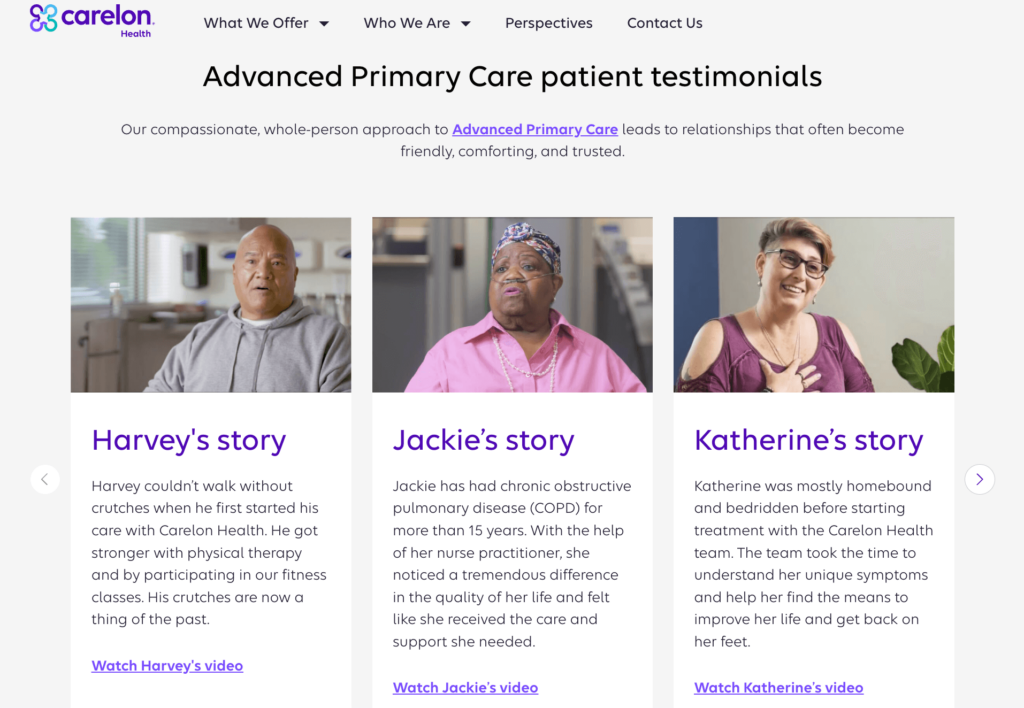
A testimonial that says “this product changed my life” does nothing. One that says “I used to spend three hours building reports manually, now it takes twenty minutes” does something the viewer can measure against their own situation.
Course and onboarding content
For course creators and membership sites, video is not supplementary content. It is the product. The experience around those videos: how learners navigate, where they resume, how the player looks and behaves, is part of what they paid for.
This is the category where the player matters most, and where most WordPress sites leave the most on the table.
What Video Format Should You Use
Once you know what type of video you are making, the next practical question is how to package it. Format affects file size, load speed, browser compatibility, and ultimately how smoothly the video plays for your visitor.
The good news is that in 2026 this decision has largely been made for you.
MP4 is the default. It works on every browser, every device, and every hosting platform. The compression is efficient enough that quality stays high at a reasonable file size. If you are only going to use one format, this is it.
WebM is the backup. Developed by Google specifically for web video, it produces smaller files than MP4 at comparable quality. Not every browser handles it equally, but as a secondary format it fills the gaps MP4 occasionally leaves on older systems.
Everything else, MOV, AVI, WMV is either too heavy for web delivery or built for a context that is not your website. They are editing and archival formats. Export from them, do not publish in them.
One practical note: most video hosting platforms transcode your upload automatically. You upload an MP4 and they handle the rest. Which brings us to the next decision, where that upload actually lives.
Where to Host Your Videos
Format decides how the video is packaged. Hosting decides where it lives and how it reaches the viewer. That distinction matters more than most people realize, because the hosting decision affects page speed, content security, and your monthly costs, not just playback quality.
There are three realistic options for a WordPress site.
Self-hosted means uploading video files directly to your server. It feels simple. It costs nothing upfront. The problem is that web servers are not built for video delivery. A single video getting meaningful traffic will consume server resources fast, slow your pages down, and hurt your Core Web Vitals. It is fine for a short internal video that almost nobody watches. It is not a strategy.
YouTube is free, globally distributed, and gets your content indexed. For marketing videos and tutorials designed to be found, it is the right call. The tradeoff is that you hand over control of the viewing environment. When the video ends, YouTube decides what comes next.
Dedicated video hosting platforms like Bunny Stream, Vimeo, Mux costs money but solves the problems the other two options create. Fast delivery through a global CDN, no algorithm pulling viewers away, content stays yours. For course content, gated video, or anything on a high-intent page, this is where your videos should live.
We have covered this decision in full in our WordPress video hosting comparison. If you are still deciding, that is the right place to start.
The hosting and format decisions get your video playing reliably. What separates a good video from a great video experience is everything the best brands layer on top of that.
How the Best Brands Use Video on Their Site
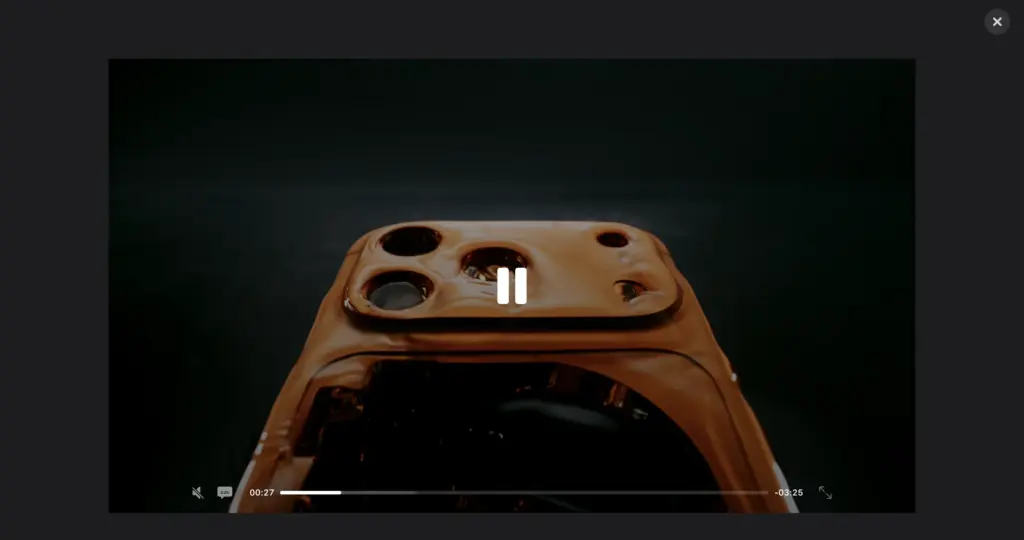
Look at how Apple handles product video. Every demo lives on their own site, in their own player, with their own controls.
When the video ends, Apple decides what the viewer sees next. No recommendations are pulling them toward a competitor. No third-party branding competing with the product. The experience starts and ends on Apple’s terms.
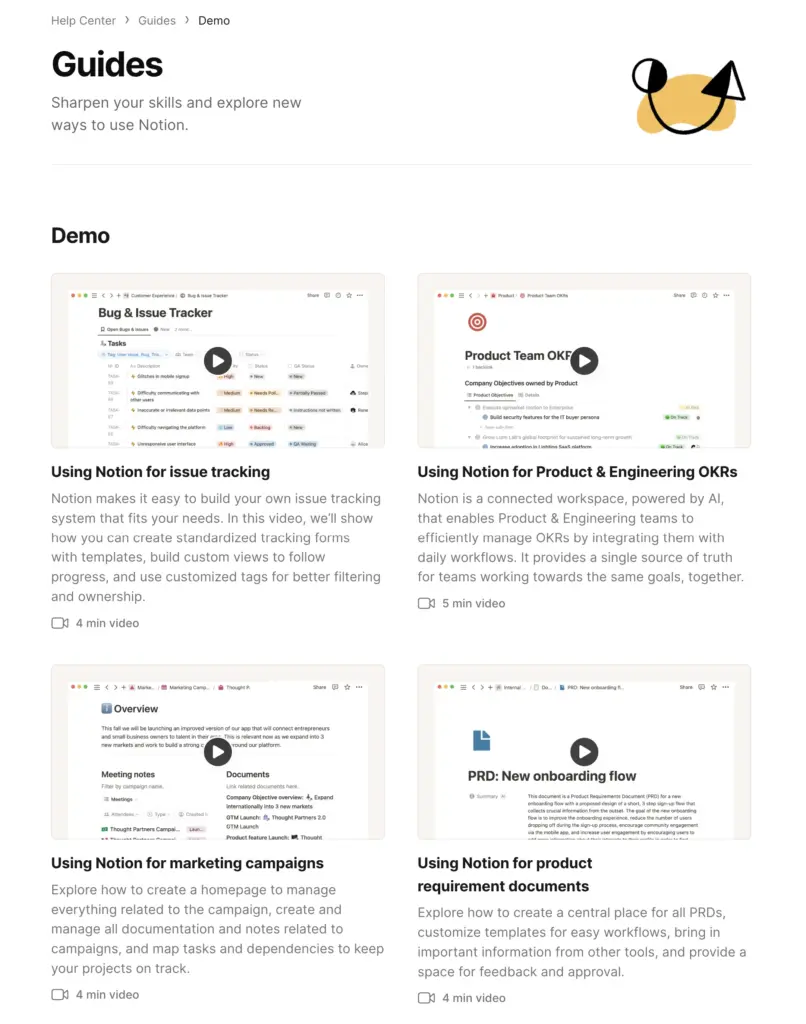
Notion takes a different angle but the same logic applies. Their demo videos do not tour the interface. They show someone solving a recognizable problem inside the product, a content team building an editorial calendar, a founder tracking investor updates.
The viewer sees a workflow they already live in, not a feature list they have to interpret. By the time the video ends, the work of translating product value into personal relevance has already been done.
What these two brands share is not budget. It is intentionality about what happens before, during, and after the video plays. They control the environment. They design the next step. They treat the player as part of the experience, not just the container for it.
The viewer watched. Stayed to the end. And then clicked away to whatever YouTube suggested.
How to Control The Video Experience
That last scenario, where a viewer watches to the end and leaves without taking any action, is what the right player is built to prevent.
Most WordPress video players do one thing. They play the video. What happens after is outside their scope. The viewer finishes, YouTube fills the screen with recommendations, and whatever intent they built up watching your content dissipates before they act on it.
FluentPlayer, WPManageNinja’s WordPress video player plugin is built around a different assumption. The video is not the end of the experience. It is the middle of it.
Keep the viewer on your page
When you embed a YouTube video through FluentPlayer, the YouTube player UI is replaced entirely. No recommendations. No Watch on YouTube button. No algorithm decides what your viewer sees next. When the video ends, your viewer sees what you put there.
Capture leads at the right moment
Most lead capture happens below the video or after it ends. Both miss the window. The moment a viewer is most ready to act is mid-video, after a key insight has landed. FluentPlayer lets you place an email capture prompt inside the video at any timestamp. The viewer does not leave the experience to give you their email.
Add CTAs that are relevant
A generic button below the player does not respond to the video. FluentPlayer lets you place CTAs inside the video at specific timestamps, matched to what the viewer just saw. A tutorial prompts documentation at the moment a step is shown. A product demo surfaces a trial offer right after the key feature lands.
Give course learners the experience they paid for
YouTube chapters disappear when you embed a video on your site. FluentPlayer’s chapter support is independent of YouTube. You build chapters inside WordPress, structured around your lesson flow. Resume playback remembers where each learner stopped. Analytics show exactly where they drop off.
Keep your brand consistent
Every video on your site plays inside a fully branded player. Your logo, your colors, your controls. Not YouTube’s.
Tips for Delivering a Great Video Experience
The sections above cover the strategy and the tools. These tips are about the decisions you make before and after the video goes live.
Match the video length to the job it is doing
A homepage hero video should be under 90 seconds. It is an introduction, not a presentation. A product walkthrough can run longer because the viewer has already decided they want to understand the product. A course can run as long as the lesson requires. Length is not a quality signal. Fit is.
Write the script from the viewer’s pov
The most common mistake in brand video is starting with the product. Start with the problem the viewer is sitting with right now. Once they feel understood, they will watch you introduce the solution. The moment you lead with your product, you have already lost most of them.
Test your videos on a slow connection
Your office broadband does not represent your audience. A video that loads instantly on a fast connection can buffer badly on a mobile network. Test on throttled connections before publishing, especially for high-intent pages where a bad experience is the most costly.
Check page speed consistently
Every embedded video adds weight to the page. One YouTube embed loads roughly 500KB of scripts whether the visitor presses play or not. After adding a video to any page, run it through PageSpeed Insights and check your Core Web Vitals. Do not assume the player handles it automatically unless you know it does.
Do not rely on autoplay
Autoplay with sound is one of the fastest ways to lose a visitor. Muted autoplay can work as a background element on a hero section, but only if the video communicates something meaningful without audio. If the video needs sound to make sense, do not autoplay it.
Design the next step before you publish
Every video should have a clear answer to the question: what do you want the viewer to do when this ends? Not in general. On this specific page, after this specific video. If you cannot answer that before publishing, the viewer will answer it themselves by leaving.
Make it Deliberate
Video is one of the few things on a website that genuinely earns attention. People choose to press play. They give you time they did not have to give.
What you do with that attention is a choice. Most sites let it expire by default. The video ends, the viewer moves on, and whatever intent built up during playback goes nowhere.
The brands that win with video are not always the ones with the biggest budgets or the most polished production. They are the ones who thought carefully about what happens before the viewer presses play, during the video, and after it ends. They designed that sequence deliberately.
That is what a great video experience is. Not just a video that plays well. A sequence that moves the viewer somewhere.
Let us know how videos have helped you achieve your goals in the comments below!