

FluentPlayer 1.3.0 is here, and it’s a big one. This release takes FluentPlayer well beyond the block editor. It now fits right into your page builder, plays audio as well as video, keeps your course content private, and finally tells you who’s actually watching. Here’s a walk through what’s new.
Build with Elementor and Divi
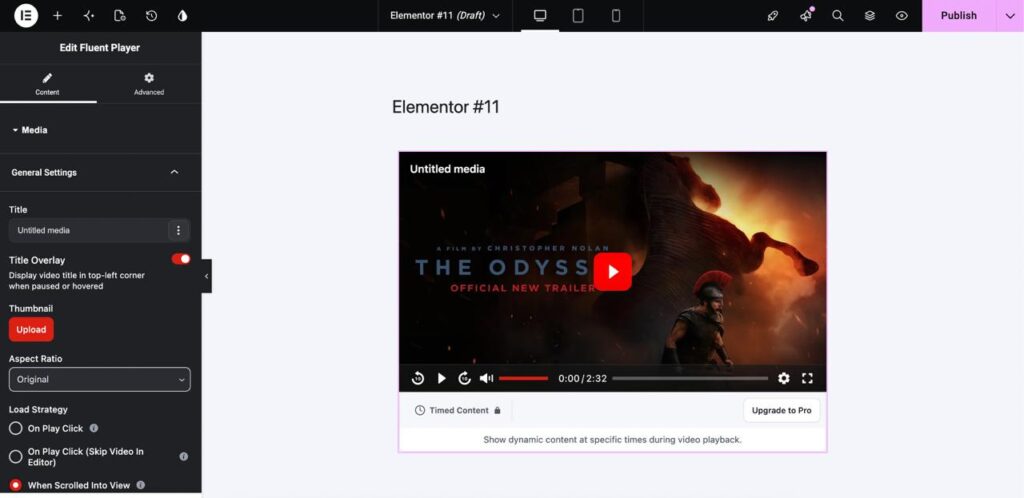
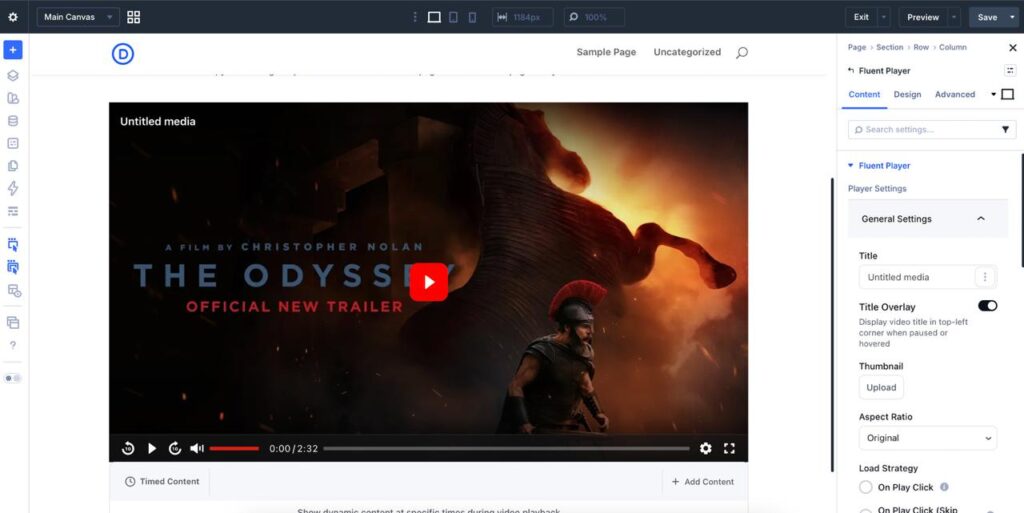
For a while now, the most common question we’ve gotten has been some version of “can I use this in Elementor?” Now you can, and in Divi too. FluentPlayer ships native Elementor widgets and Divi 5 Visual Builder modules for both the player and playlists, with the same settings you’d find in Gutenberg, right there on the canvas.
So instead of pasting a shortcode into an HTML widget and refreshing to see what happened, you drag the FluentPlayer widget into your section, pick your media, choose a preset, and watch the finished player appear as you build it. Your marketing pages and your videos finally live in the same place.
Add media by pasting a URL
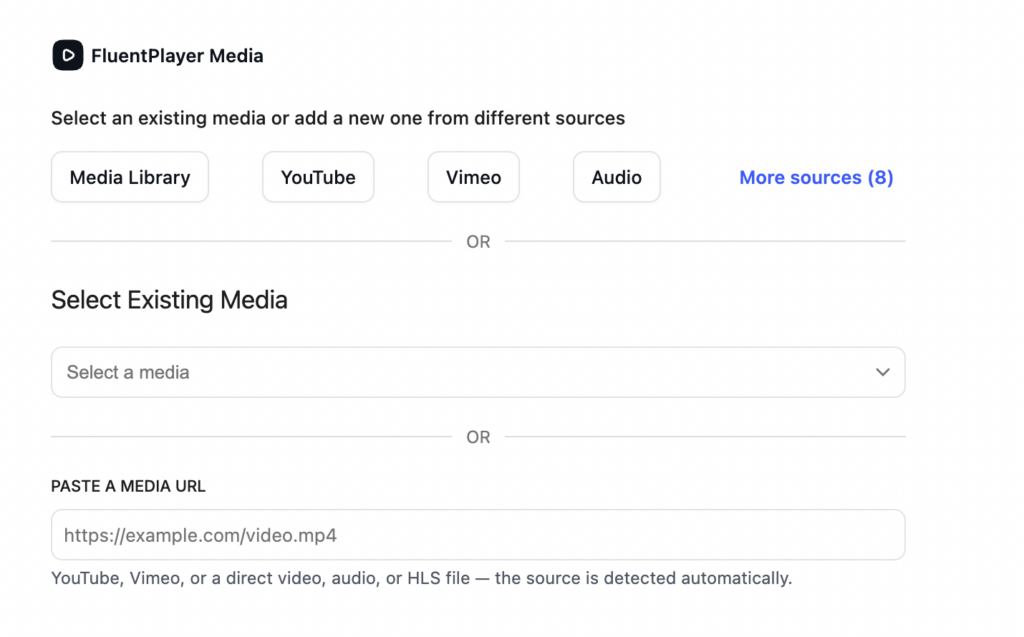
Adding media is now as simple as pasting a link. FluentPlayer works out the provider for you, and if it’s a same-site upload, it resolves to the right library attachment on its own.
The shortcode picked up some flexibility too. You can override playback for a single embed:
[fluentplayer id="145" preset="course" start="30" autoplay="true" muted="true"]That plays media 145 with the Course preset, jumps 30 seconds in, and autoplays muted, all without changing the saved media anywhere else.
The one we’re most excited about is dynamic sources. Drop this into a lesson or custom post type template:
[fluentplayer source_meta="lesson_video_url"]Now every post renders its own video, pulled from that post’s lesson_video_url custom field. You set it up once and it fills itself in. If you run a course or membership site with hundreds of videos, that’s the difference between an afternoon and a month.
Audio playback
FluentPlayer plays audio now, not just video, with the same players, presets, and overlays you already use. That includes audio through CDN providers like Bunny, Mux, Cloudflare R2, and Gumlet (Pro), with server-side uploads so it works even on local and private sites.
If you’ve been reaching for a second plugin to host podcast episodes or course audio, you can bring them into the same library and drop an email-capture overlay on them just like you would on a video.
Private media and playlists
Here’s the thing about course videos: the usual way they leak isn’t hacking. It’s a public URL that someone copies, or one Google quietly indexes. Private visibility closes that off.
A private video plays wherever you embed it, whether that’s a lesson, a page, or a course, but its own standalone URL returns a 404 and stays out of sitemaps and search. Videos created from a FluentCommunity lesson are set to Private automatically, so paid content never gets a public page to begin with. (Private playlists are a Pro feature.)
FluentCRM engagement tracking
Video has always been a bit of a black box. You send it out, and then you hope. This release changes that.
FluentPlayer now writes watch milestones and layer interactions, like email captures and CTA clicks, straight to the FluentCRM contact timeline. So after you send a webinar replay, you can see who reached the 80 percent mark, who clicked the CTA, and build an automation around it: a follow-up email, a tag, a handoff to sales. It turns “we published a video” into something you can act on.
Editors can manage content now
Managing media used to require an admin account. Now editors can create and edit media, layers, presets, and playlists on their own, so your team can publish without you handing out the keys to the whole site.
The sensitive pieces, like Mux keys and storage credentials, stay admin-only. And if you want to fine-tune exactly who can do what, there’s a fluent_player/authoring_capability filter for that.
Smaller things that add up
A few quieter improvements make day-to-day work nicer. The media and playlist pickers are searchable and paginated now, so libraries with hundreds of items stay manageable, and grid playlists can offer viewers their own title search with a live result count. Editing feels quicker thanks to a lazy-loaded preview and a branded loading screen over the editor’s boot phase, and you can save with Cmd or Ctrl + S. YouTube posters are served as WebP for faster page loads, the source picker reflects your connected providers automatically, and locked providers are properly announced to assistive technology.
Fixes
A handful of fixes went in as well:
- Mobile player controls no longer crowd the seek bar on small screens
- The Elementor and Divi editors no longer show a blank canvas for timed-content and playlist blocks
- Portrait (9:16) YouTube Shorts fill the frame instead of being letterboxed
- Colors set in the page-builder panel now apply on the front end
- Overlay layers, like forms and CTAs, work on sites that load animation libraries such as GSAP
- Chapter files and filenames with special characters render correctly
- (Pro) Bunny Stream playback no longer fails with a 403, and Gumlet audio is detected correctly
- (Pro) Video analytics record reliably on long-standing installs
- (Pro) Password-locked playlists strip provider tokens from the page source
Update Your FluentPlayer Plugin Now
That’s FluentPlayer 1.3.0. Update your FluentPlayer plugin from the WordPress dashboard. If you build something you’re proud of with it, we’d love to see it.
Not using Pro yet? Upgrade to FluentPlayer Pro to unlock advanced features!
New to FluentPlayer? Download the free version from here or explore Pro features at FluentPlayer Feature.
If you find this update useful, take some time to write some positive words for us here in a review here on FluentPlayer WordPress repository page. Also, join our official community to explore community use cases and ideas from other FluentPlayer users.
As always, if you need help, check out our Documentation or reach out to our Support Team. We are always here to help.