

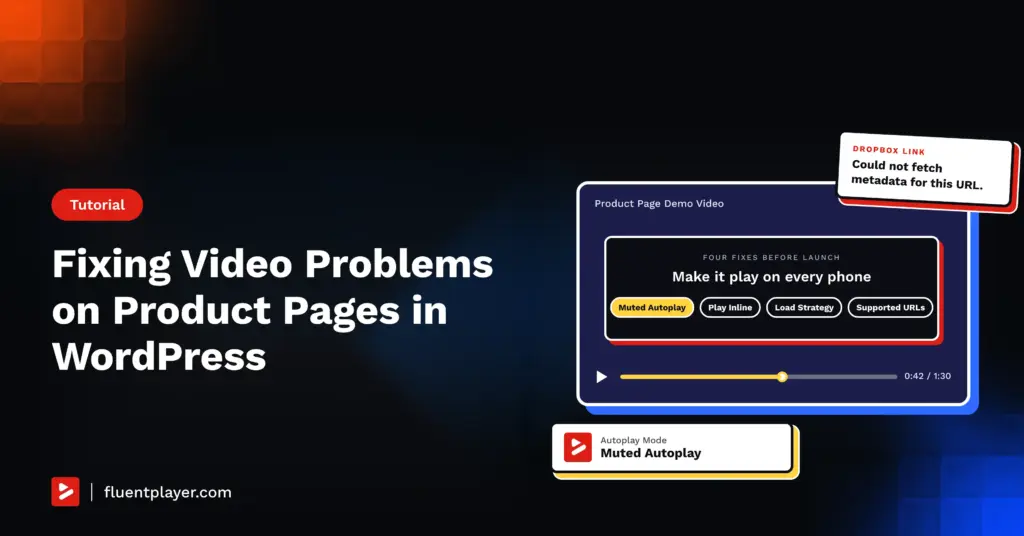
You open the product page on your phone the night before launch, and the video sits frozen on its first frame. You tap play, and instead of playing on the page it jumps to fullscreen.
The usual advice is to blame the plugin and swap the player, but the autoplay and fullscreen rules come from the browser, so the fix is usually a setting, not a new player.
Video problems on product pages fall into two groups. Autoplay and fullscreen are browser behaviors you control with settings, while slow loading and link errors come from how the video is loaded and sourced.
I’d expect a shopper who sees a broken video on a phone to move on, so these four fixes belong in place before the pre-Black Friday video push starts.
Autoplay comes first, because the fix is a single dropdown.
TL;DR
- Muted Autoplay starts the video silently, which nearly all browsers allow
- Play Inline On Mobile keeps the video on the page instead of sending it fullscreen
- Load Strategy delays video loading so the page renders first
- Supported sources replace Dropbox and Google Drive links, which return a metadata error
Fix Video Autoplay on Product Pages With Muted Autoplay
Autoplay fails on product pages because browsers block videos with sound. WordPress.org support threads on the problem tend to end with the same advice, which is to start the video muted, and Chrome’s autoplay policy always allows muted autoplay while leaving audible autoplay to each visitor’s history with your site.
Install the free FluentPlayer plugin, open FluentPlayer, Media, and choose your product video. In the right sidebar, select the Block tab, expand General Settings, and set Autoplay Mode to Muted Autoplay, then save the media and reload the page in a private window.
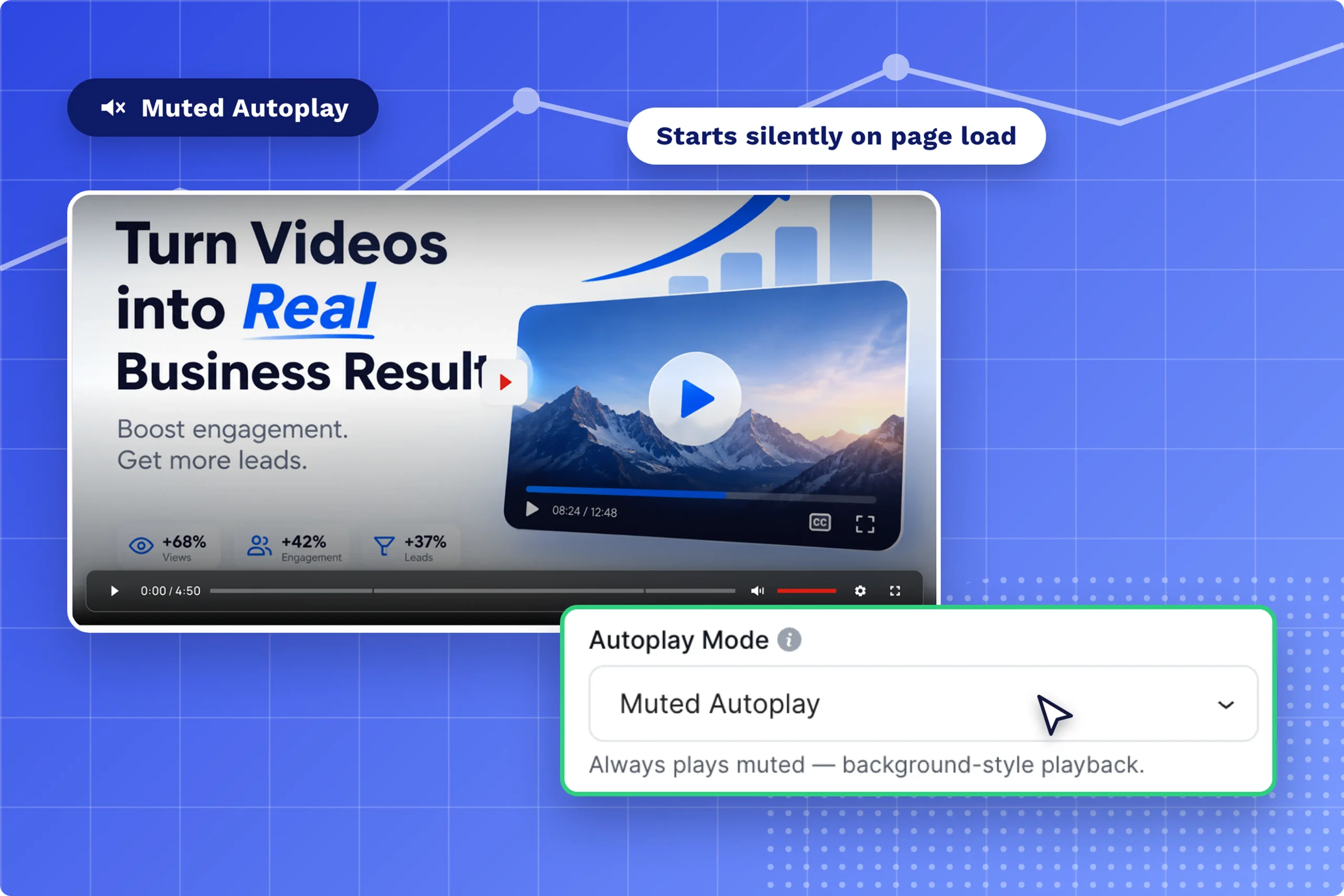
If the demo needs sound, Muted Preview is the better fit for a product page, because the video loops silently as its own thumbnail and plays with sound once the shopper clicks. It sits in the same Autoplay Mode dropdown, though it isn’t applied inside playlists.
I wouldn’t pick Autoplay with Sound for a hero demo. Browsers track media engagement for each visitor, so the video may autoplay on your own machine and stay frozen for a first-time customer, which is why I’d test while logged out of WordPress before trusting any result.
Keep Product Page Videos Inline on Mobile
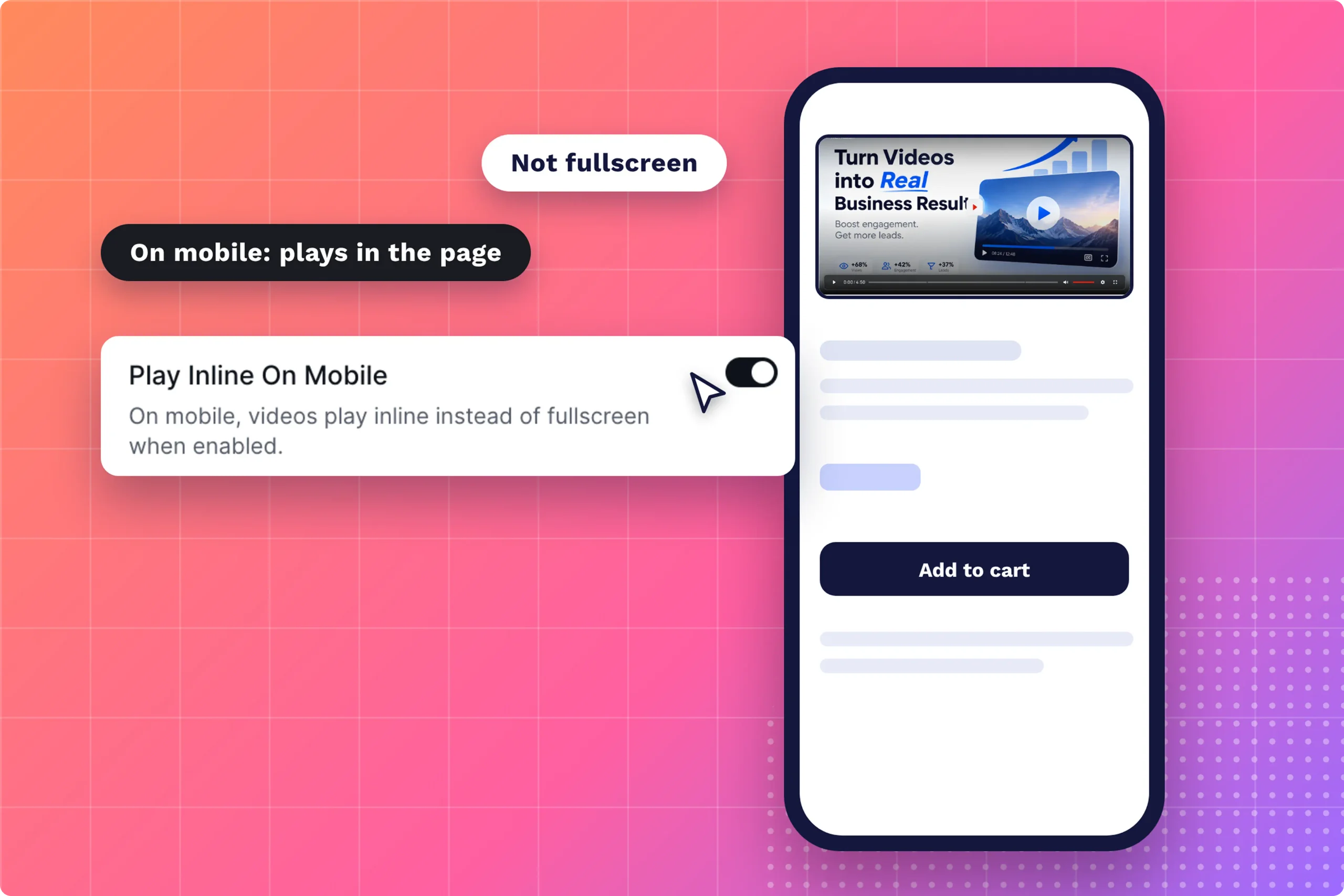
Videos jump to fullscreen on phones when inline playback is off. A WordPress Gutenberg issue describes an iOS autoplay video block failing to start until the playsinline attribute was added, and a contributor there notes Safari needs both muted and plays inline for autoplay.
In FluentPlayer, turn on Play Inline On Mobile in the same General Settings panel and pair it with Muted Autoplay, so the video plays inside the product layout instead of taking over the screen. Both are free settings, so this costs nothing to try.
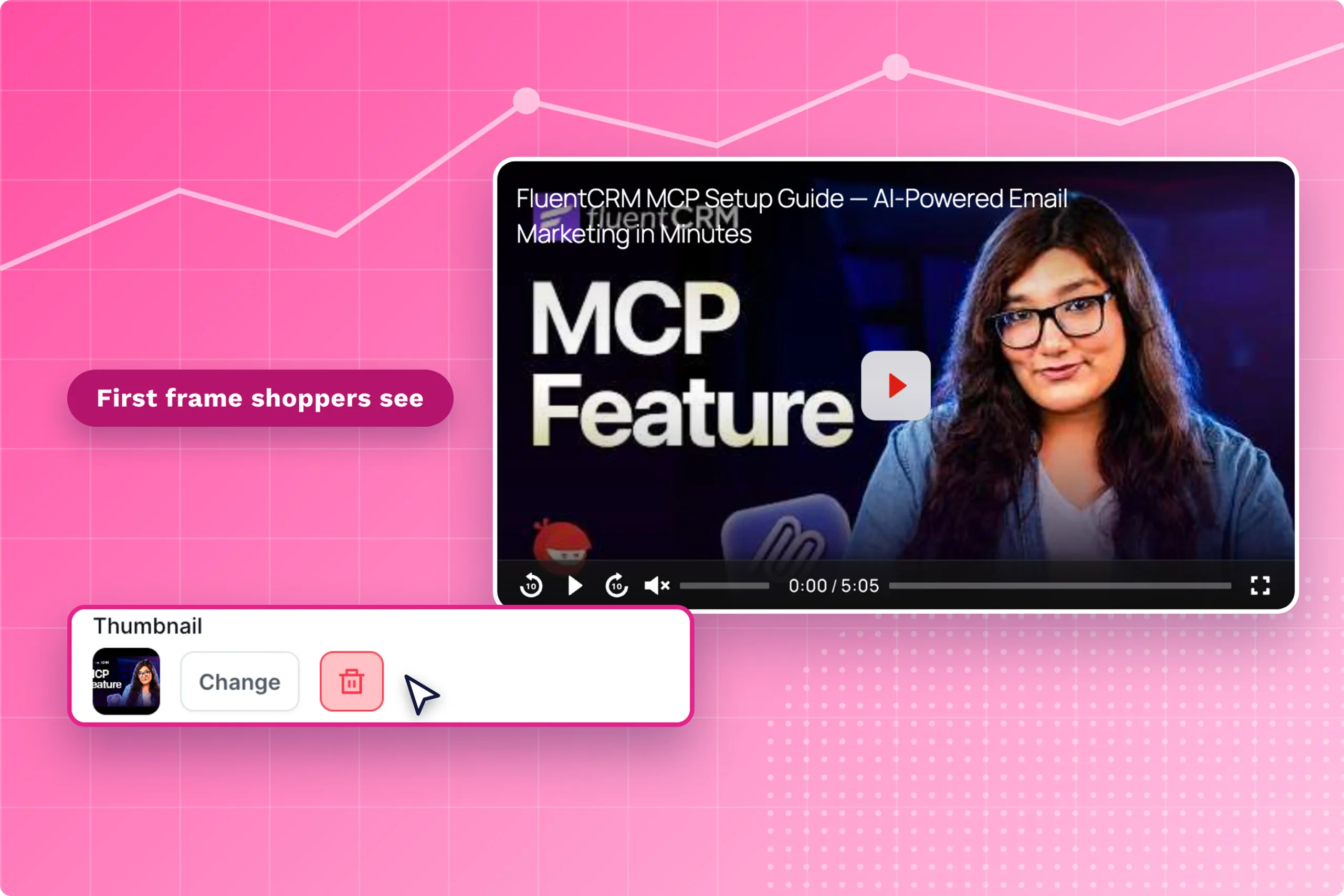
Some iOS settings will still block muted autoplay, which FluentPlayer’s troubleshooting guide calls expected behavior across web video players. I’d plan for the blocked case by setting a clear Thumbnail under General Settings, so the shopper sees a product frame instead of a blank one.
Fix a Slow Product Page With Load Strategy
A product video slows the page when the browser loads it before the shopper asks for it. A 2021 GeneratePress forum thread reports a PageSpeed score falling from 80 to 59 after a single YouTube embed, though one report is anecdotal and results vary by theme, host, and embed.
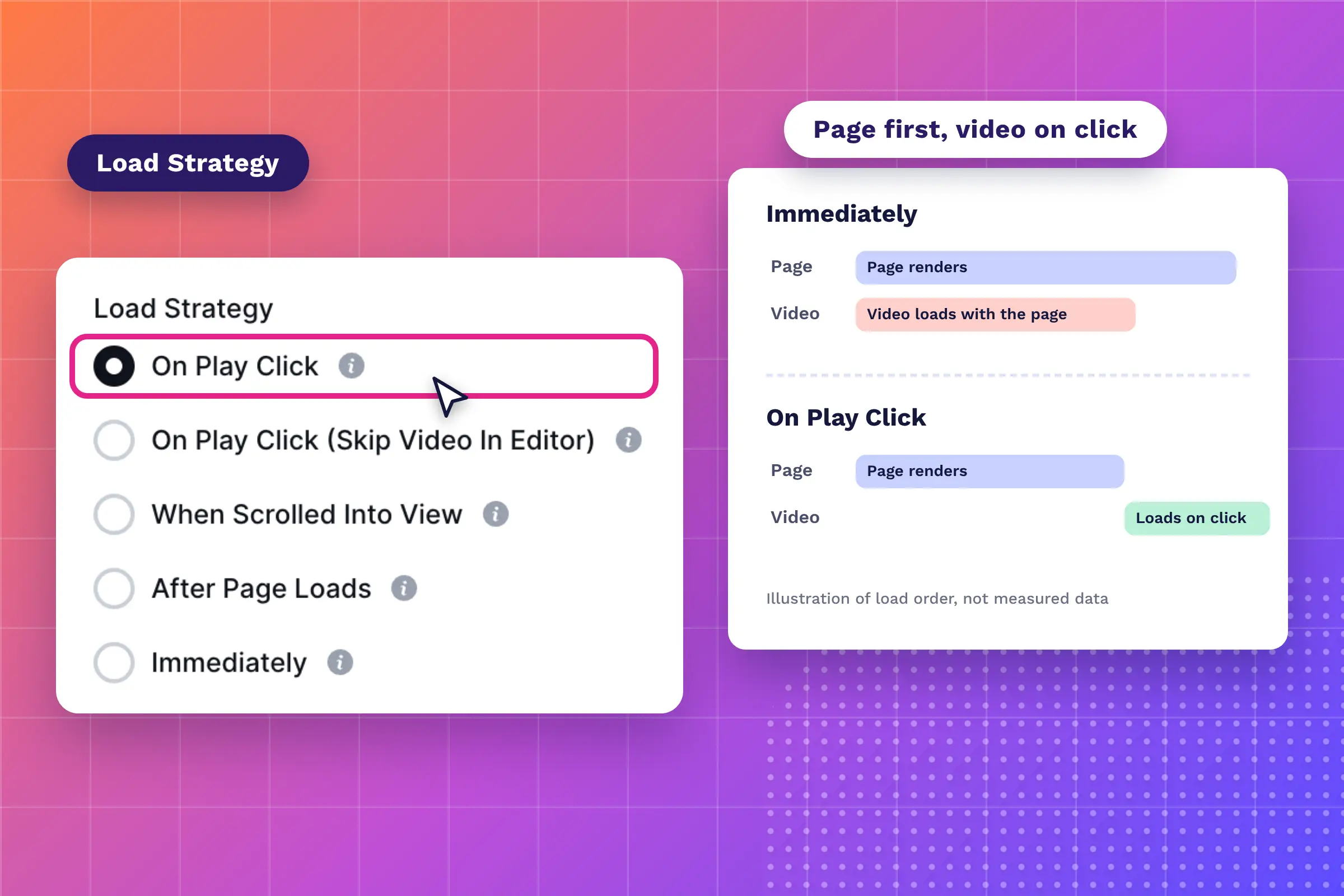
Google rates a Largest Contentful Paint of 2.5 seconds or less as good, so a heavy video near the top of a mobile product page puts the score at risk. FluentPlayer’s Load Strategy setting controls when video data starts loading, and it offers five options:
- On Play Click loads the video after a click and is best for page speed
- On Play Click (Skip Video In Editor) behaves the same on the front end and makes no video requests in the editor
- When Scrolled Into View starts loading once the player becomes visible
- After Page Loads starts loading once the rest of the page finishes
- Immediately loads the video as the page opens, so it should be used sparingly
My pick is On Play Click for demo videos, When Scrolled Into View for videos lower on the page, and After Page Loads for a muted hero clip. Load Strategy changes when data loads rather than how heavy the file is, so I’d compress the video as well.
I’d also avoid leaving immediately on a product page with several players, since each one starts loading at page open and they may compete for bandwidth while the page renders. Run PageSpeed Insights on mobile before and after the change, and compare Largest Contentful Paint.
Fix the Metadata Error on Dropbox and Google Drive Links
FluentPlayer doesn’t support Dropbox or Google Drive links, and pasting one returns the error “Could not fetch metadata for this URL.” The free sources are WordPress, YouTube, and Vimeo, so a link from either storage service has to be replaced with one of those.
Both services are built for file storage rather than video streaming, as Jetpack’s embed guide explains. A Dropbox Community Super User notes share links pass through a redirect first, so a player unable to follow it finds no video to play.
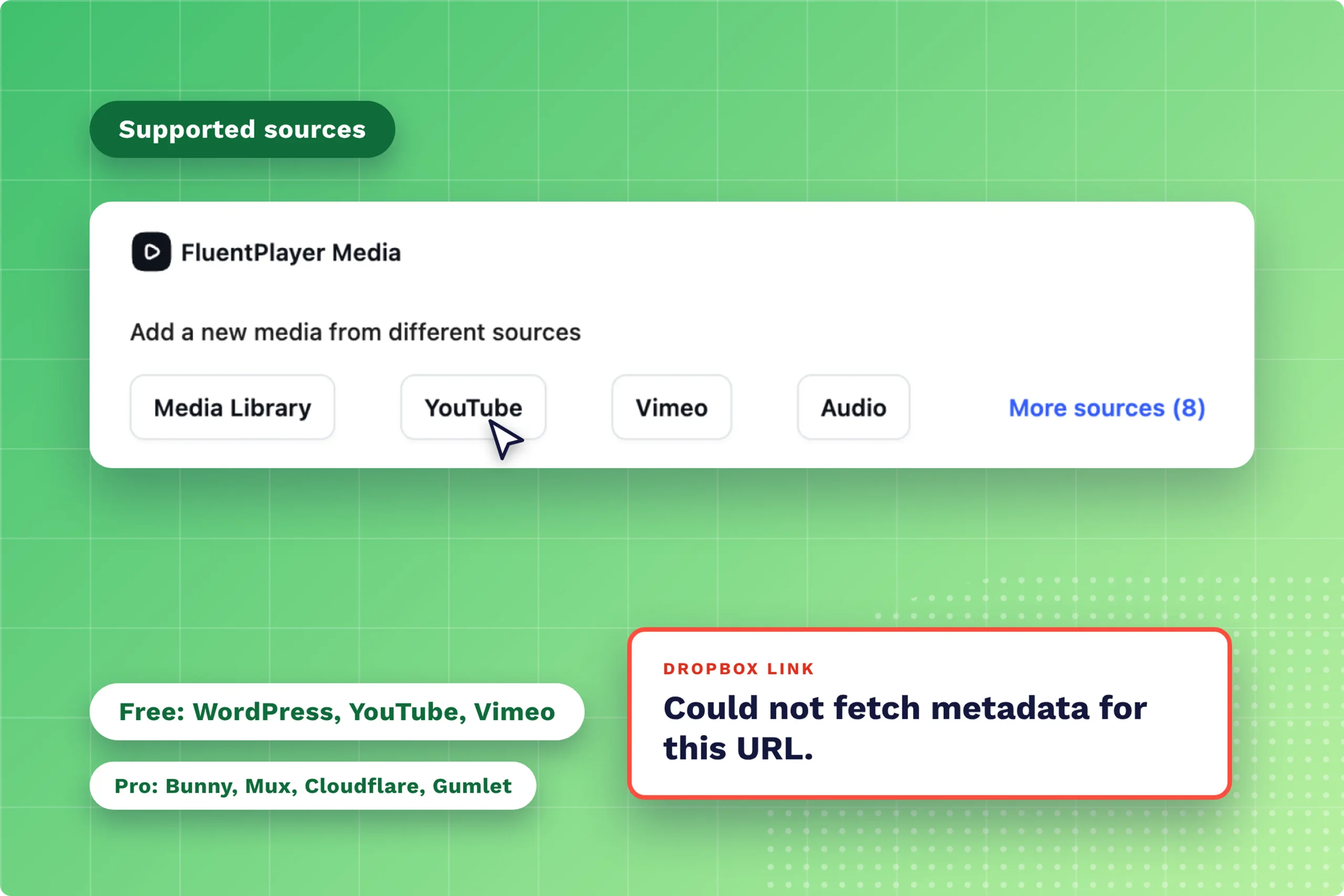
Older tutorials suggest swapping dl=0 for raw=1 in the link, though Dropbox Community threads report the trick failing after it worked for years. I’d treat it as a workaround rather than a setup, and use one of these supported routes instead:
- Upload the MP4 to the WordPress Media Library (free)
- Publish the video on YouTube or Vimeo and paste its URL (free)
- Connect Bunny, Mux, Cloudflare, or Gumlet for larger libraries (Pro)
I’d choose the Media Library for short clips, YouTube or Vimeo for convenience, and a CDN source once files grow large. Switching sources later doesn’t break existing embeds, because the shortcode and block reference the media ID rather than the video URL.
Test Each Fix on a Live Phone
Test every fix on a live phone, because the editor preview often hides these problems. A WoodMart support thread describes a video playing in preview but failing on the live mobile page, so I’d run these checks on the published product page:
- Open the page in a private window on iPhone Safari and Android Chrome
- Confirm the thumbnail appears when autoplay is blocked
- Paste each video source once and confirm no metadata error appears
- Compare mobile PageSpeed Insights results before and after Load Strategy
- Confirm only one player on the page uses Immediately
Once playback holds, put the video to work. The email capture layer and the Fluent Forms layer are free, and FluentCRM works as a free integration, so I’d add one to your highest-traffic product page and match its wording to the product shown.
Apply the Four Fixes in Order
Each failure here is a setting, not a reason to switch players. Install the free FluentPlayer plugin, apply the four fixes to your launch page, and test it on a live phone tonight. If a fix does not hold, the troubleshooting guide covers the next checks. Fix it once, before the traffic arrives.
Frequently Asked Questions
Why is my WordPress video not autoplaying?
Browsers block autoplay for videos with sound, so set FluentPlayer’s Autoplay Mode to Muted Autoplay and the video starts silently. Test it in a private window while logged out, and keep a clear thumbnail as the fallback for iOS settings which still block it.
Why does my video play fullscreen on the iPhone?
Videos open fullscreen on iPhones unless inline playback is on, so turn on Play Inline On Mobile in General Settings and pair it with Muted Autoplay. The video then plays inside the product layout, and I’d confirm it on a real iPhone because the editor preview doesn’t show this behavior.
Does video slow down a WordPress product page?
It does when the browser loads the video before the shopper asks for it. Setting Load Strategy to On Play Click or When Scrolled Into View delays the loading, and I’d run PageSpeed Insights on mobile before and after, since it changes timing rather than file size.
Does FluentPlayer support Dropbox or Google Drive links?
No, pasting either link returns the error “Could not fetch metadata for this URL.” Use the WordPress Media Library, YouTube, or Vimeo for free, or connect Bunny, Mux, Cloudflare, or Gumlet with Pro, since both storage services are built for files rather than video streaming.