FluentPlayer vs GoDAM: Comparing Two Next-Level WordPress Video Players
Whether you’re running courses, showcasing products, or building a community, how you deliver video matters just as much as the content itself.
Since different video players provide different outputs, the right video player tool matters more, especially when you run it on your website.
GoDAM, focused on its cloud-based transcoding and some neat interactive features, may have caught your attention as the primary video playing plugin for your WordPress site. Simultaneously, FluentPlayer, the newest member of Fluent Ecosystem, as the upcoming versatile video plugin for WordPress, has promised to empower small business grow, with the ultimate interactive video embedding solutions.
In this comparison, I break down what each brings to the table, who they’re built for, and which one might fit your specific situation better.
An overview of FluentPlayer and GoDAM
What is FluentPlayer
FluentPlayer is an upcoming WordPress video player developed by WPManageNinja, the creator of popular WordPress plugins like FluentCRM, Fluent Forms, and FluentCommunity. It’s designed with a specific philosophy: every video should behave like a page, trackable, optimizable, and measurable.
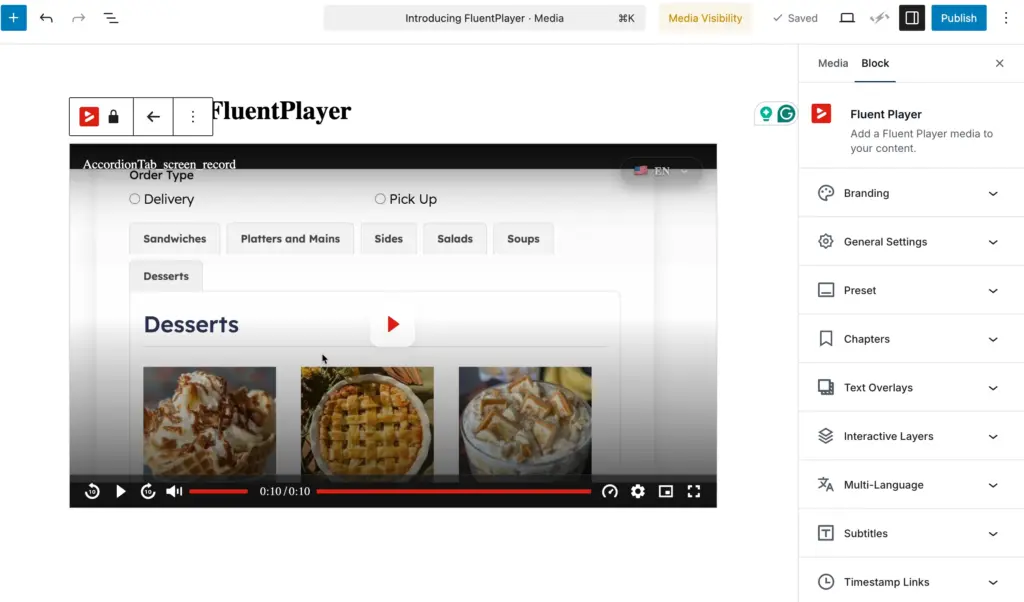
FluentPlayer focuses on connecting video content to business outcomes rather than playing videos only. It’s more than a media box that can enrich the communication system. The plugin is currently in it’slast stage of development, with more features planned for future releases.
Key positioning:
- Native WordPress integration
- Built for conversion tracking
- FluentCRM, Fluent Forms, and FluentCommunity are integrated
- Self-hosted, you own your data
Stay updated on free vs. pro, pricing & beta.
What is GoDAM
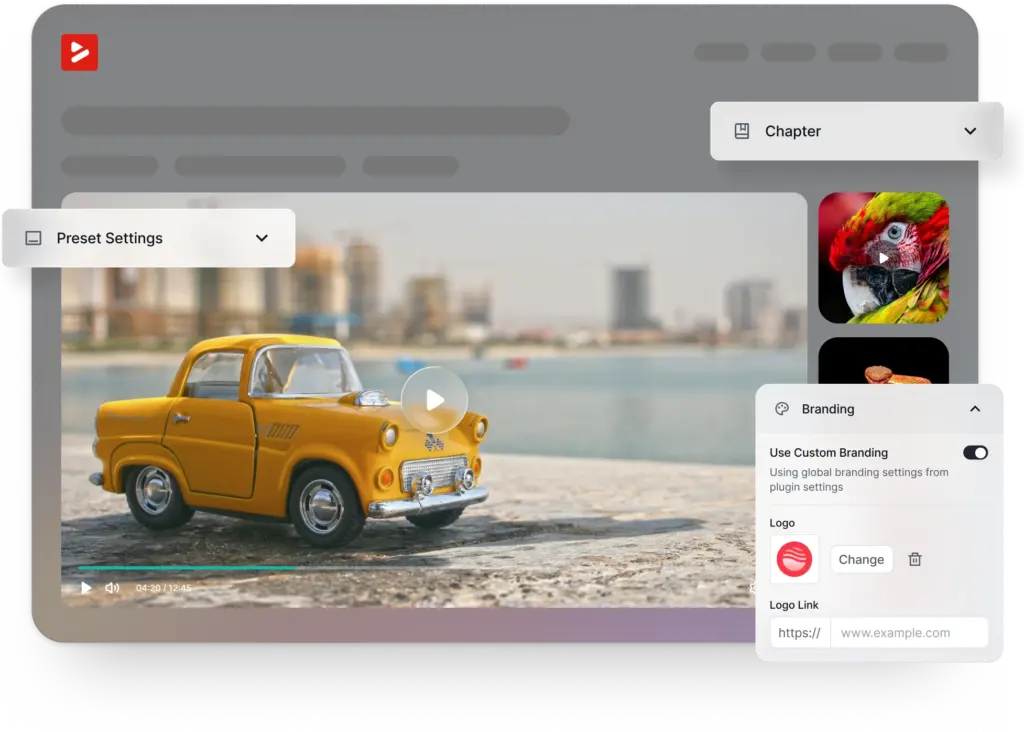
GoDAM is a cloud-based digital asset management solution for video hosting with transcoding, CDN delivery, and interactive layers. It focuses on professional video processing and management.
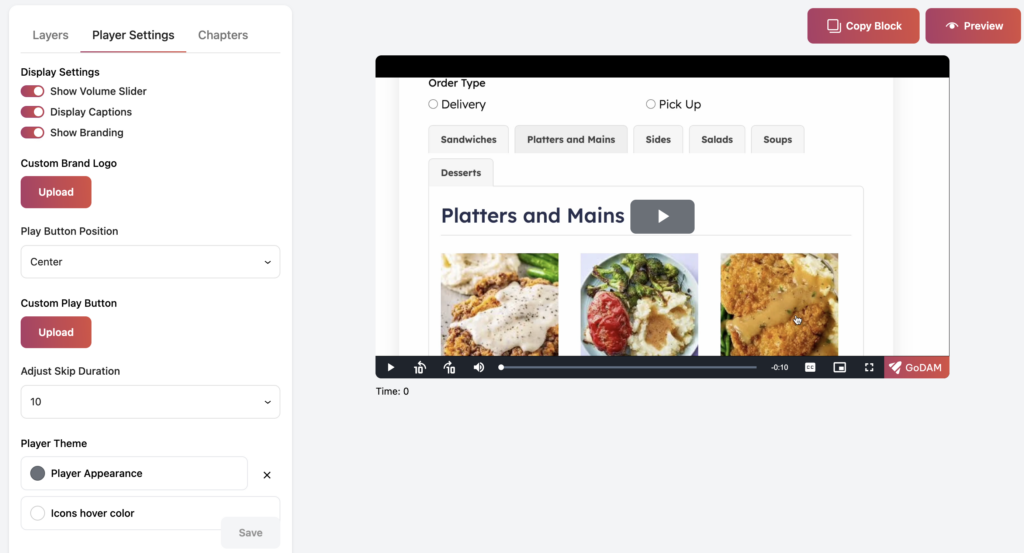
The platform can automatically convert uploaded videos to multiple resolutions and deliver them via adaptive bitrate streaming. It also offers a centralized media hub for managing assets across multiple WordPress sites.
Key positioning:
- Cloud-based SaaS model
- Automatic transcoding to multiple resolutions
- CDN-powered delivery
- Interactive video layers (CTAs, forms, ads)
- Centralized asset management
WordPress video player plugin: access your creative freedom
Choosing a video player isn’t only about playback quality but also about control, flexibility, and how well the tool fits your workflow.
Ownership of content and branding
FluentPlayer takes a self-hosted approach. Your videos live on your server, your branding stays clean, and you’re not dependent on third-party platforms that could change their terms at any time. No algorithm decides what your visitors see next. No external branding clutters your player.
GoDAM uses a hybrid model. Videos are processed and delivered through GoDAM’s cloud infrastructure, which means faster transcoding and CDN delivery. But it also means your content lives on their servers. GoDAM serves transcoded videos for 30 days even when your subscription expires, then reverts to the original files in your WordPress media library.
| Aspect | FluentPlayer | GoDAM |
| Hosting model | Self-hosted | Cloud-based SaaS |
| Data ownership | Full control | Dependent on subscription |
| Branding | Fully customizable | Customizable player |
| Third-party dependency | None | GoDAM cloud infrastructure |
Flexibility in presentation and playback
Both FluentPlayer and GoDAM offer customizable playback experiences, each with a different approach.
FluentPlayer focuses on clean playback without hurting your Core Web Vitals. The plugin is built to be lightweight, with lazy loading and optimization baked into the architecture. Chapters, progress tracking, and interactive elements are on the roadmap.
GoDAM provides more out-of-the-box interactivity, such as adding CTAs, forms, hotspots, polls, and ads as video layers. The Elementor widget makes drag-and-drop embedding straightforward. GoDAM’s adaptive bitrate streaming adjusts quality based on the viewer’s connection speed.
Monetization, privacy, and analytics
FluentPlayer is designed to connect video engagement directly to your marketing automation. The vision includes tagging viewers in FluentCRM based on watch behavior, triggering email sequences. As a result, you can track which videos actually drive conversions. This is the “video as a business asset” philosophy in action.
GoDAM offers robust analytics through its Pro plan, including heatmaps, play counts, watch time, views by country, and bandwidth tracking. For monetization, it supports VAST/VPAID ads with pre-roll, mid-roll, and post-roll placements. Content is managed through GoDAM Central with public/private toggles.
Performance vs convenience trade-offs
GoDAM’s advantage: Cloud transcoding means you don’t burden your server with video processing. And CDN delivery enables faster load times globally.
FluentPlayer’s advantage: Self-hosting ensures you need no ongoing subscription costs for hosting, no dependency on external services, and potentially better performance for sites with existing CDN setups. While accessing full ownership, you can maximize the strength of performance.
Features that ease video playing
Playback controls
| Feature | FluentPlayer | GoDAM |
| Speed control | Planned | Yes |
| Autoplay | Planned | Yes |
| Looping | Planned | Yes |
| Resume playback | Planned | Not specified |
| Keyboard hotkeys | Planned | Yes |
| Picture-in-Picture | Planned | Yes |
Video protection and access control
FluentPlayer plans to integrate with the Fluent ecosystem for members-only videos, role-based access through FluentCommunity, and dynamic security features.
GoDAM offers watermarking support (Pro), private/public toggles in GoDAM Central, and role-based permissions for team management. AI-powered transcription adds closed captions for accessibility.
Chapters, thumbnails, subtitles, and captions
FluentPlayer: Chapter markers and progress tracking are on the roadmap, designed for course creators who need structured content.
GoDAM: Supports chapter markers, custom thumbnails with hover effects, and automatic AI transcription that adds closed captions during upload.
Adaptive streaming and quality handling
FluentPlayer: Performance optimization is a core focus, with HLS streaming planned.
GoDAM: This is where GoDAM cloud shines. Automatic transcoding converts videos to 240p through 4K, and adaptive bitrate streaming adjusts quality dynamically based on network conditions. Supported input formats include MP4, MOV, AVI, WebM, and more.
Playlist and multiple-video handling
FluentPlayer: Multi-video management is planned for future releases.
GoDAM: Offers video galleries with filtering, a centralized media library across multiple sites, and folder-based organization through GoDAM Central.
Integrations that accelerate performance
| Integration Type | FluentPlayer | GoDAM |
| CRM | FluentCRM (native) | Not available |
| Forms | Fluent Forms (native) | Gravity Forms, WPForms, Contact Form 7, Fluent Forms, Forminator, Ninja Forms, MetForm, Everest Forms, SureForms, Jetpack Forms |
| Page Builders | Gutenberg | Gutenberg, Elementor, WPBakery |
| LMS | FluentCommunity | LifterLMS |
| Email Marketing | FluentCRM automation | Via form integrations |
| Polls | Planned | WP Polls |
| Ads | Planned | VAST/VPAID, self-hosted |
FluentPlayer’s integration advantage: Native connection to FluentCRM means automatic contact creation, behavioral tagging, and email triggers based on video engagement. No Zapier, no API keys, just works.
GoDAM’s integration advantage: Wide form plugin support lets you capture leads directly within videos. The LifterLMS integration makes it viable for existing course creators.
User experience: how it looks and how it works
Admin experience
Setup complexity
FluentPlayer is being designed with WordPress-native onboarding. If you’ve used other Fluent products, the interface should feel familiar. The goal is a quick setup without technical overhead.
GoDAM requires connecting to the GoDAM cloud service, subscribing to a plan, and potentially configuring GoDAM Central for asset management. More powerful, but more steps involved.
UI clarity and learning curve
FluentPlayer: Aims for the Fluent ecosystem’s established UX patterns. Clean, intuitive, focused.
GoDAM: The admin interface uses WordPress standards with additional cloud dashboard elements. Moderate learning curve for the full feature set.
Defaults vs customization depth
FluentPlayer: Smart defaults out of the box, with customization as you need it.
GoDAM: More immediate customization options (custom CSS, player themes, ad placements), but potentially overwhelming for simpler use cases.
Viewer experience
Player design and responsiveness
Both promise clean, mobile-responsive players. GoDAM has the advantage of being production-ready with Elementor widgets. FluentPlayer’s final design is still in development.
Branding consistency
FluentPlayer: Full white-label capability planned.
GoDAM: Customizable player appearance with branding options.
Interruptions, buffering, and ads
GoDAM’s adaptive streaming should minimize buffering. Ad support means potential interruptions if you’re monetizing. FluentPlayer focuses on clarity and gives users a distraction-free experience.
Target demographics
For whom will FluentPlayer be better
The FluentCommunity integration particularly empowers course creators and educators while broadening their scope for video creation.
FluentPlayer helps marketers get a proper understanding of which videos drive conversions, regardless of the number of views. FluentPlayer becomes a natural extension of your marketing stack if you are already a user of FluentCRM.
Privacy-conscious site owners who prefer self-hosting over cloud dependencies can access full privacy while using FluentPlayer.
Fluent ecosystem users will make the best out of it, ensuring consistent UX and native integrations.
For whom is GoDAM good to go
High-volume video publishers who need professional transcoding without server overhead. If you’re publishing dozens of videos weekly, cloud processing saves real time.
Multi-site managers who need centralized asset management. GoDAM Central lets you upload once and use across multiple WordPress installations.
Ad-supported content creators who want to monetize through VAST/VPAID will get production-ready integrations.
Teams requiring collaboration who need shared video libraries with role-based permissions, comments, and reactions.
Who can use either of the two video players
Bloggers and content creators with moderate video needs could work with either. GoDAM offers more immediate features; FluentPlayer offers ecosystem benefits.
Agencies building client sites might prefer GoDAM for the multi-site management, or FluentPlayer for clients already in the Fluent ecosystem.
eCommerce sites using video for product demos could benefit from either, depending on whether they prioritize conversion tracking or interactive layers.
Feature comparison at a glance
| Feature | FluentPlayer | GoDAM Free | GoDAM Pro |
| Self-hosted option | Yes | Partial | Partial |
| Cloud transcoding | No | No | Yes |
| Adaptive bitrate streaming | Planned | No | Yes |
| Native CRM integration | FluentCRM | No | No |
| Form overlays | Fluent Forms | Multiple plugins | Multiple plugins |
| Video analytics | Planned (conversion-focused) | Basic | Heatmaps, detailed metrics |
| Chapter markers | Planned | Yes | Yes |
| AI transcription | Planned | No | Yes |
| Ad support | Planned | Yes | Yes |
| Multi-site asset sharing | Via WP | Via WP | GoDAM Central |
| Elementor integration | Planned | Yes | Yes |
| Team collaboration | Planned | No | Yes |
Our suggestion
In terms of the two user-centric video plugin FluentPlayer and GoDAM, there is no straight answer as to which one will be perfect for whom. So, I have highlighted the core reasons so that you can define your choice easily.
Choose FluentPlayer if:
- You’re already using FluentCRM, Fluent Forms, or FluentCommunity
- Conversion tracking matters more than raw video features
- You prefer self-hosting and full data ownership
- You want native CRM integration without third-party connectors
- You’re willing to grow with a product as new features are released
Choose GoDAM if:
- You need professional transcoding and CDN delivery today
- Interactive video layers (CTAs, forms, ads) are essential now
- You manage video across multiple WordPress sites
- Team collaboration with role-based permissions is required
- You’re comfortable with SaaS subscription costs
Consider both if:
- You’re evaluating options for a new project with a flexible timeline
- Your needs are moderate, and either solution could work
- You want to compare hands-on once FluentPlayer launches
FluentPlayer is currently in the last stage of development. We’ll be launching soon. The features described represent the vision and roadmap, with specific functionality coming in phased releases. For the most current information on available features and launch timing, join the waitlist.
Be among the first ones to test the potential of FluentPlayer, get early-adopter benefits, and help shape the features that matter most to you.
FluentPlayer: Better control over videos

Hi, this is Aparup. I am a Literature postgraduate, mixing my creative thoughts with my experience in the tech industry to surpass AI. Professionally, I am a content marketer seeking solutions to users’ problems regarding WordPress.
Leave a Reply