
See FluentPlayer
in Action
Explore live demos of every feature and discover how FluentPlayer elevates your WordPress videos.
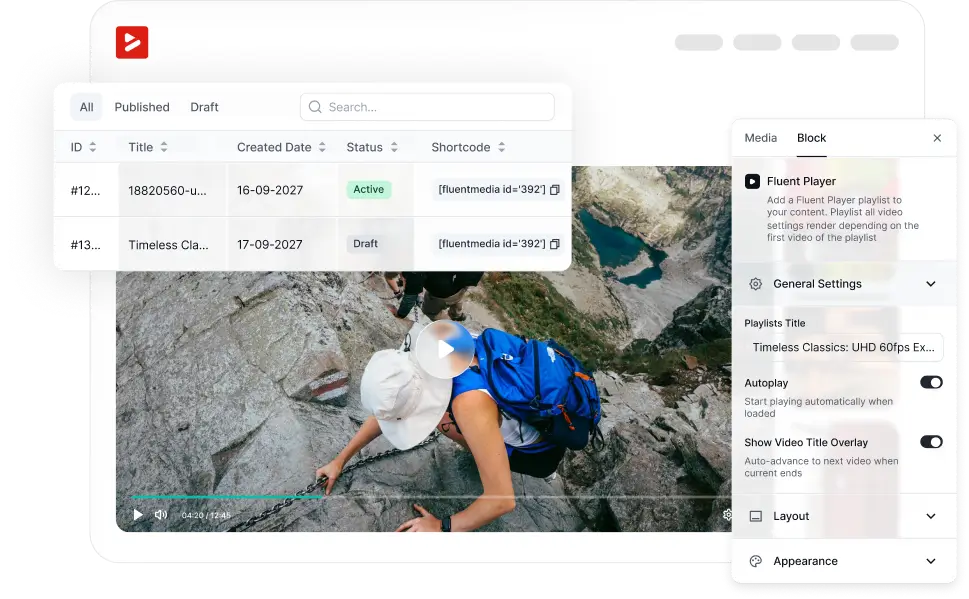
Host Anywhere, Play Everywhere
Supports YouTube, Vimeo, Bunny Stream, BunnyCDN and self hosted videos.
YouTube Video
Play Pause Backward 10s Play Pause Forward 10s Unmute Mute /Settings Enter PiP Exit PiP Enter Fullscreen Exit Fullscreen 
Vimeo Video
Play Pause Backward 10s Play Pause Forward 10s Unmute Mute /Settings Enter PiP Exit PiP Enter Fullscreen Exit Fullscreen Self-hosted Video
Play Pause Backward 10s Play Pause Forward 10s Unmute Mute /Closed-Captions Off Closed-Captions On Settings Enter PiP Exit PiP Enter Fullscreen Exit Fullscreen 
BunnyCDN Storage Video

Play Pause Backward 10s Play Pause Forward 10s Unmute Mute /Settings Enter PiP Exit PiP Enter Fullscreen Exit Fullscreen

Six Stunning Player Skins
Supports YouTube, Vimeo, Bunny Stream, and other popular platforms.
Default
Play Pause Backward 10s Play Pause Forward 10s Unmute Mute /Settings Enter PiP Exit PiP Enter Fullscreen Exit Fullscreen 
Modern
Play Pause Backward 10s Play Pause Forward 10s Unmute Mute /Settings Enter PiP Exit PiP Enter Fullscreen Exit Fullscreen 
Simple
Play Pause Play Pause Enter Fullscreen Exit Fullscreen 
Minimal
Play Pause 
Floating
Play Pause Backward 10s Play Pause Forward 10s /Unmute Mute Settings Enter PiP Exit PiP Enter Fullscreen Exit Fullscreen 
Built-In Playback Controls
Give your viewers complete control: play, pause, volume, speed, picture-in-picture, and more.
Player with All Control

Custom Branding on Every Video
Upload your logo, set its position, and apply your brand color to the player.
Player with Custom Branding


Built-in Subtitle Support
Add subtitles with full control over font size, text color, and background.
Player with Subtitle
Add Context with Overlays
Display key information right on the video with title or text overlays.
Player with Title & Text Overlay

Navigate with Chapters
Let viewers jump to any section with clearly marked video chapters.
Player with Chapters

Convert with Interactive Layers
Embed email opt-ins, CTAs, forms, ads, shortcodes & hotspots right inside videos.
Email Capture
Play Pause Backward 10s Play Pause Forward 10s Unmute Mute /Settings Enter PiP Exit PiP Enter Fullscreen Exit Fullscreen 
Form
Play Pause Backward 10s Play Pause Forward 10s Unmute Mute /Settings Enter PiP Exit PiP Enter Fullscreen Exit Fullscreen 
CTA
Play Pause Backward 10s Play Pause Forward 10s Unmute Mute /Settings Enter PiP Exit PiP Enter Fullscreen Exit Fullscreen 
Hotspot
Play Pause Backward 10s Play Pause Forward 10s Unmute Mute /Settings Enter PiP Exit PiP Enter Fullscreen Exit Fullscreen 
Shortcode
Play Pause Backward 10s Play Pause Forward 10s Unmute Mute /Settings Enter PiP Exit PiP Enter Fullscreen Exit Fullscreen 
Ad
Play Pause Backward 10s Play Pause Forward 10s Unmute Mute /Settings Enter PiP Exit PiP Enter Fullscreen Exit Fullscreen 
Drive Results with Smart
Action Bar
Boost engagement & clicks with a custom, clickable action bar
Player with Action Bar

User-friendly Playlist Layouts
Organize multiple videos in a clean grid or sidebar playlist view.
Playlist with Sidebar Layout
Play Pause Backward 10s Play Pause Forward 10s Unmute Mute /Speed Settings Enter PiP Exit PiP Enter Fullscreen Exit Fullscreen Demo Page – Playlist (Sidebar)
1 / 5 videos-
Player with All Control0:02:51
-
Preset (Default), Muted Autoplay0:04:04
-
Vimeo Video0:02:00
-
YouTube Video0:03:12
-
Self-hosted Video with Subtitle0:01:00
-
Playlist with Grid Layout
Play Pause Backward 10s Play Pause Forward 10s Unmute Mute /Settings Enter PiP Exit PiP Enter Fullscreen Exit Fullscreen Demo Page – Playlist (Grid)
6 videos
Multiple Autoplay Modes
Choose from no autoplay, autoplay, or muted autoplay for every video.
No Autoplay
Play Pause Backward 10s Play Pause Forward 10s Unmute Mute /Settings Enter PiP Exit PiP Enter Fullscreen Exit Fullscreen
Autoplay with Sound
Play Pause Play Pause Enter Fullscreen Exit Fullscreen
Muted Autoplay
Play Pause Backward 10s Play Pause Forward 10s Unmute Mute /Settings Enter PiP Exit PiP Enter Fullscreen Exit Fullscreen
Get early access to
FluentPlayer: Get Better control over videos
What Users are Saying about FluentPlayer
Listen from the real users who are already seeing the difference – better playback, deeper engagement, and more control.

Dragan STAMENKOVIC
CEO at Sdravobiz SRL
C’est un outil qui va booster l’interaction avec des messages incrustés et surtout c’est une plateforme de data pour analyser les actions de vos utilisateurs et devenir un véritable outil décisionnel.

Jimmy Tavares
Owner at The Webonaut
It will for sure be a game-changer for me and I can’t wait for the official release so I can start setting it up on my live site!

Augustine Mak
Director at MAKETA Media
It looks like it’s going to be a really nice plugin and it has a cool set of features that I wanted to show you.

Paul Charlton
Owner at WPTuts
There’s plenty of different things you can do inside here, including short codes, hotspots, and so on. So from a marketing point of view, this is super useful.

David McCan
Owner at WebTNG
These interactive layer features are pretty cool. You can have a link in the middle of the video to take someone to a resource or something like that.
Frequently Asked Questions
Here are some of the most commonly asked questions about FluentPlayer answered.