

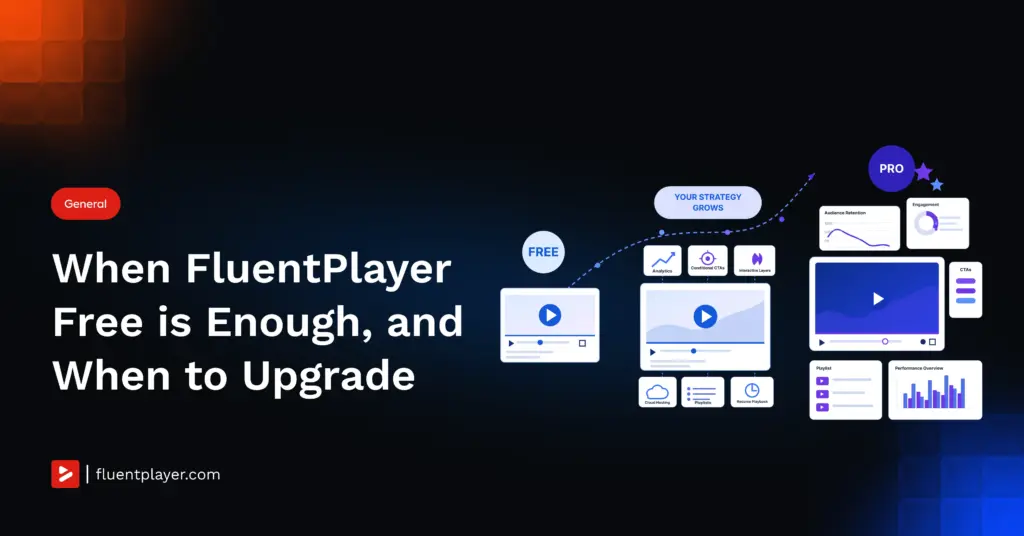
The free version of FluentPlayer is genuinely powerful. It handles native FluentCRM and Fluent Forms automations, standard playback, and basic embedding without breaking a sweat. For many WordPress sites, it is all you will ever need.
But there is a specific threshold where “playing a video” is no longer enough. You do not upgrade to Pro because the free version is lacking. You upgrade because your video strategy has matured. You need to measure retention, control the viewer journey, and scale your infrastructure.
Here are the 4 exact scenarios where it is time to make the switch.
TL;DR
- Free tells you a video played. Pro’s audience retention graph shows the exact second viewers drop off.
- Free overlays show every viewer the same thing; Pro triggers CTAs, hotspots, and ads by actual watch time.
- Free connects to YouTube, Vimeo, and self-hosted files; Pro adds Bunny Stream, Bunny Storage, Mux, Gumlet, and Cloudflare.
- Free plays one video with no memory; Pro adds playlists, resume playback, and timed content, including for your FluentCommunity courses.
- You upgrade because your video strategy matured past view counts, not because free broke.
Sign 1: The Analytics Blind Spot
What free analytics actually shows you
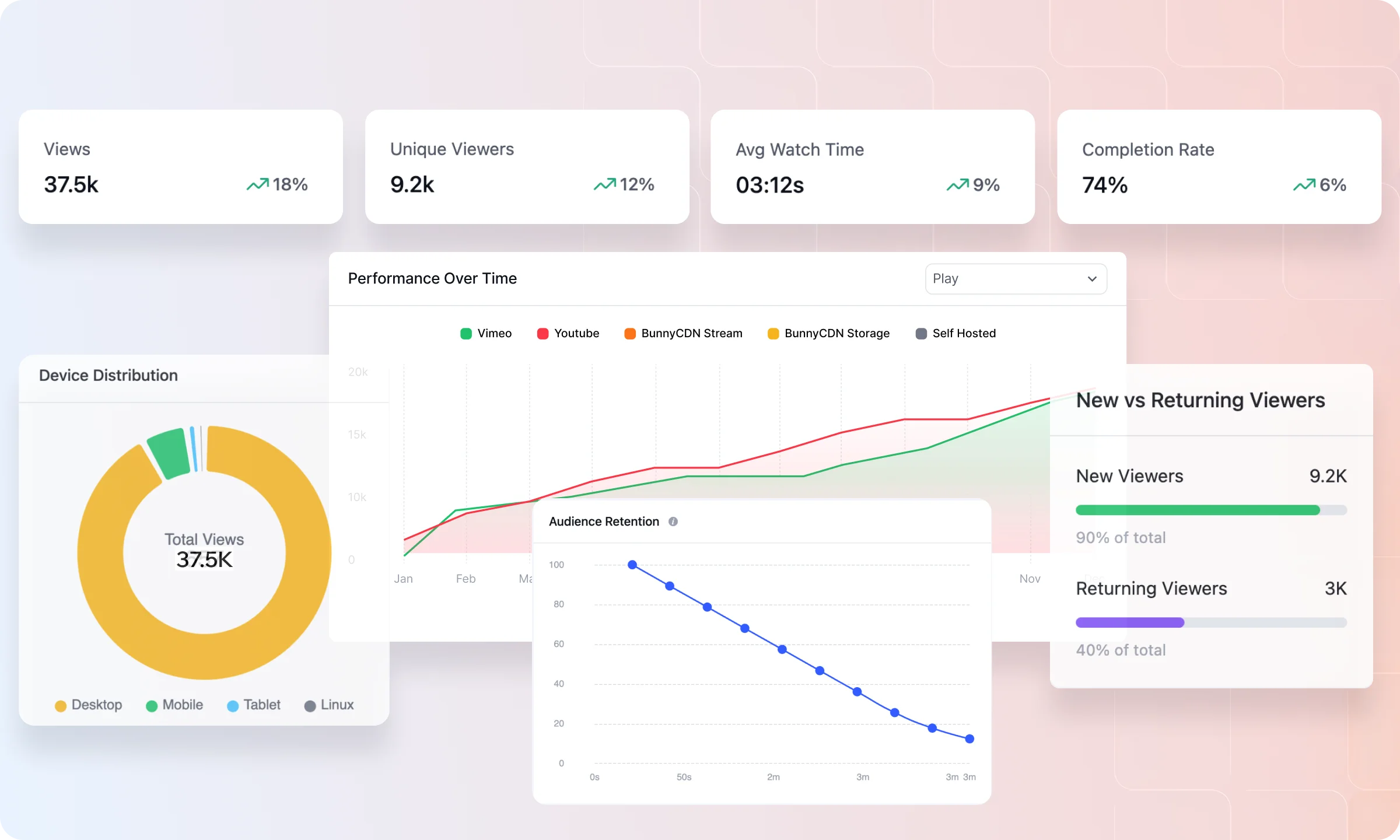
You publish a product demo. A week later you check the numbers: 500 views. That sits in your dashboard next to a quiet assumption that the video is “working.” But it’s one data point standing in for the whole story. It doesn’t say whether people watched ten seconds or ten minutes, came back a second time, or made it to the ending at all.
What the retention graph reveals
Same 500 views, same video. Now you open Video Analytics and see the shape underneath the number. Roughly 60 percent of viewers left before the 45-second mark, right where the pricing slide comes up. Completion sits near 22 percent, and the viewers who do finish are mostly returning visitors, not first-time traffic. Nothing about the video changed.
What changed is what you know about it, and what you’d do next: recut the intro, move the pricing slide later, or stop sending ad traffic to a video nobody watches past the hook.
How you’ll know it’s time
You’ll feel this first the moment someone asks you to prove a video is worth the budget behind it: a client wants to know why they should keep paying for production, or your own boss wants to know if the explainer on the pricing page is actually helping close deals.
A view count doesn’t answer that question, and neither does a gut feeling. It shows up again once you’re running more than one video and need to decide which to keep, which to recut, and which to retire, because without a retention curve for each, that decision comes down to a guess dressed up as a decision.
See Your Own Drop-Off Numbers →
Sign 2: The Conditional Conversion Gap
What free overlays can and can’t do
You can place a basic email capture form inside a video using Fluent Forms, or run a standard interactive layer. It works, and every viewer who reaches that point sees the same thing at the same moment, whether they clicked play ten seconds ago or have watched the whole video twice already. The layer has no way to tell the difference.
How conditional targeting works
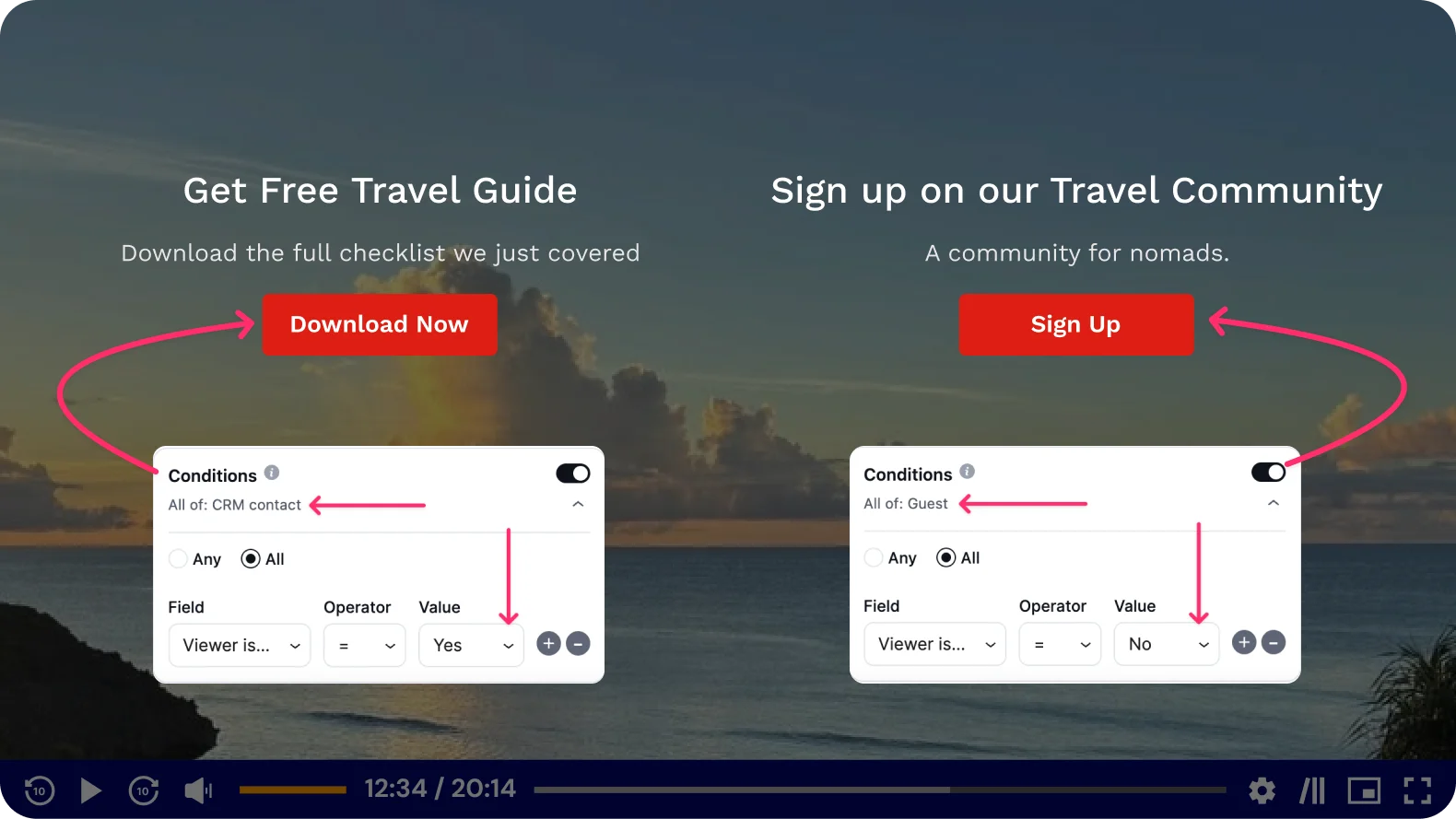
The same video can place a CTA banner, a hotspot, an ad, or a shortcode at a specific timestamp with conditional targeting attached. A pricing offer can wait until someone has actually sat through the part of the video where you explain what they’re paying for, instead of appearing the moment the video loads.
A different overlay can run for a different segment of viewers. The layer responds to what someone has actually watched, not just to where the timestamp happens to fall.
How you’ll know it’s time
You’ll notice this the moment a static overlay starts working against you instead of for you: an email capture form that pops up in the first three seconds scares off exactly the viewers who might have converted if you’d waited until they cared.
It also shows up once you’re running the same video to more than one audience, cold traffic from an ad and warm traffic from an email list, and the free version has no way to show each group something different at the same timestamp.
See Conditional Layers in Action →
Sign 3: The Infrastructure Ceiling
Where free video hosting runs out
Your video lives on YouTube, on Vimeo, or as a file in your own WordPress media library. YouTube comes with its own ads and end-screen suggestions pulling attention toward someone else’s content the second yours ends. Vimeo avoids that, at a cost. Self-hosting avoids both, until enough people watch at once that your server starts to strain and your Core Web Vitals scores start to slip.
What Pro infrastructure changes
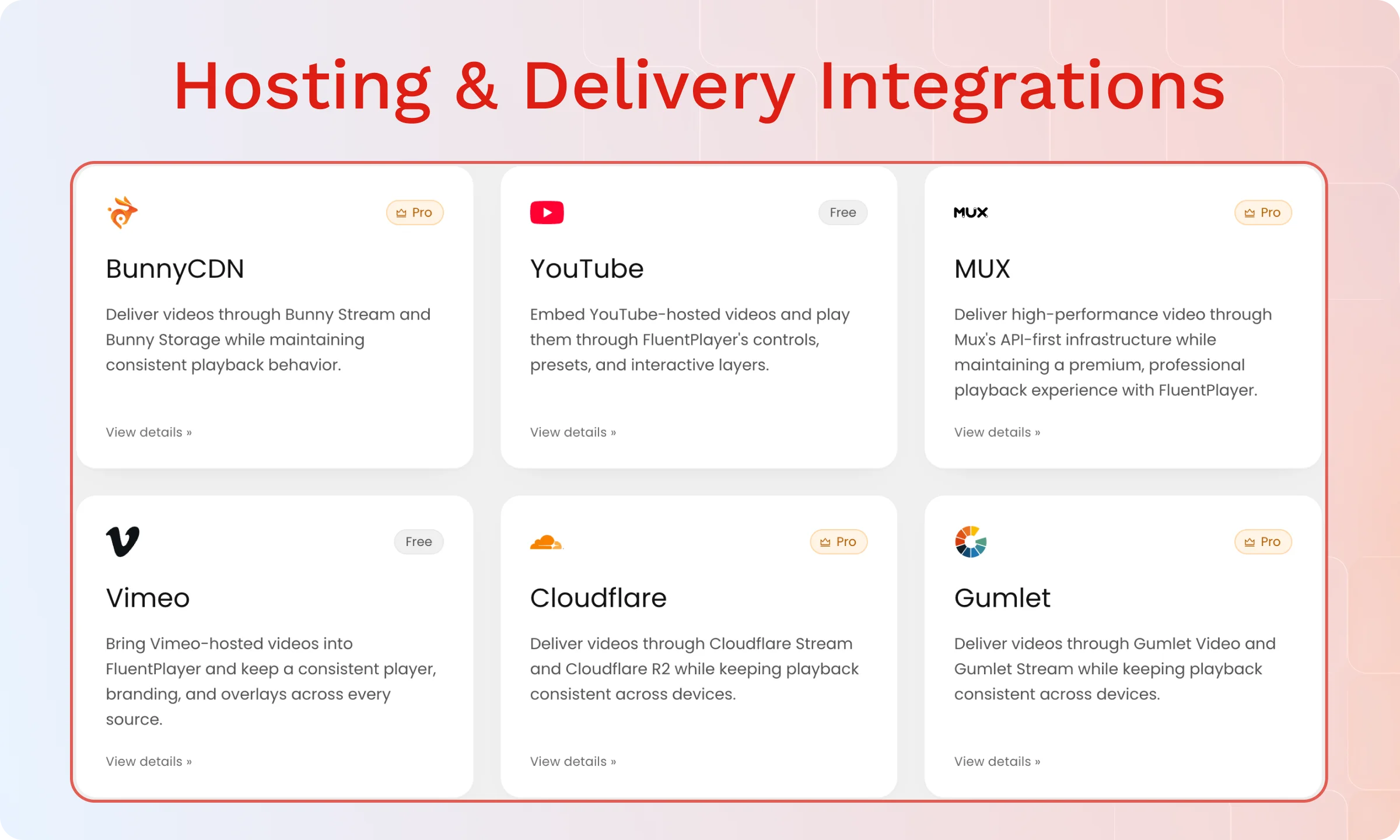
You connect to Bunny Stream, Bunny Storage, Mux, Gumlet, Cloudflare Stream, or Cloudflare R2 instead, configured from inside the WordPress dashboard rather than through a third-party embed code you maintain separately. The video plays from infrastructure built to handle streaming at scale, with no ads, no end-screen distractions, and none of the strain self-hosting puts on a normal WordPress server.
How you’ll know it’s time
This becomes real once your video traffic stops being small enough for a normal WordPress server to absorb without you noticing, or once a client or stakeholder asks why your course videos sit on YouTube where anyone can find them without buying access.
It also shows up the first time a self-hosted video buckles under a traffic spike, because unlike an image or a script, a video file doesn’t fail quietly. It fails as a spinning wheel in front of the viewer you were trying to convert.
Sign 4: The Course and Membership Workflow
The course experience without memory
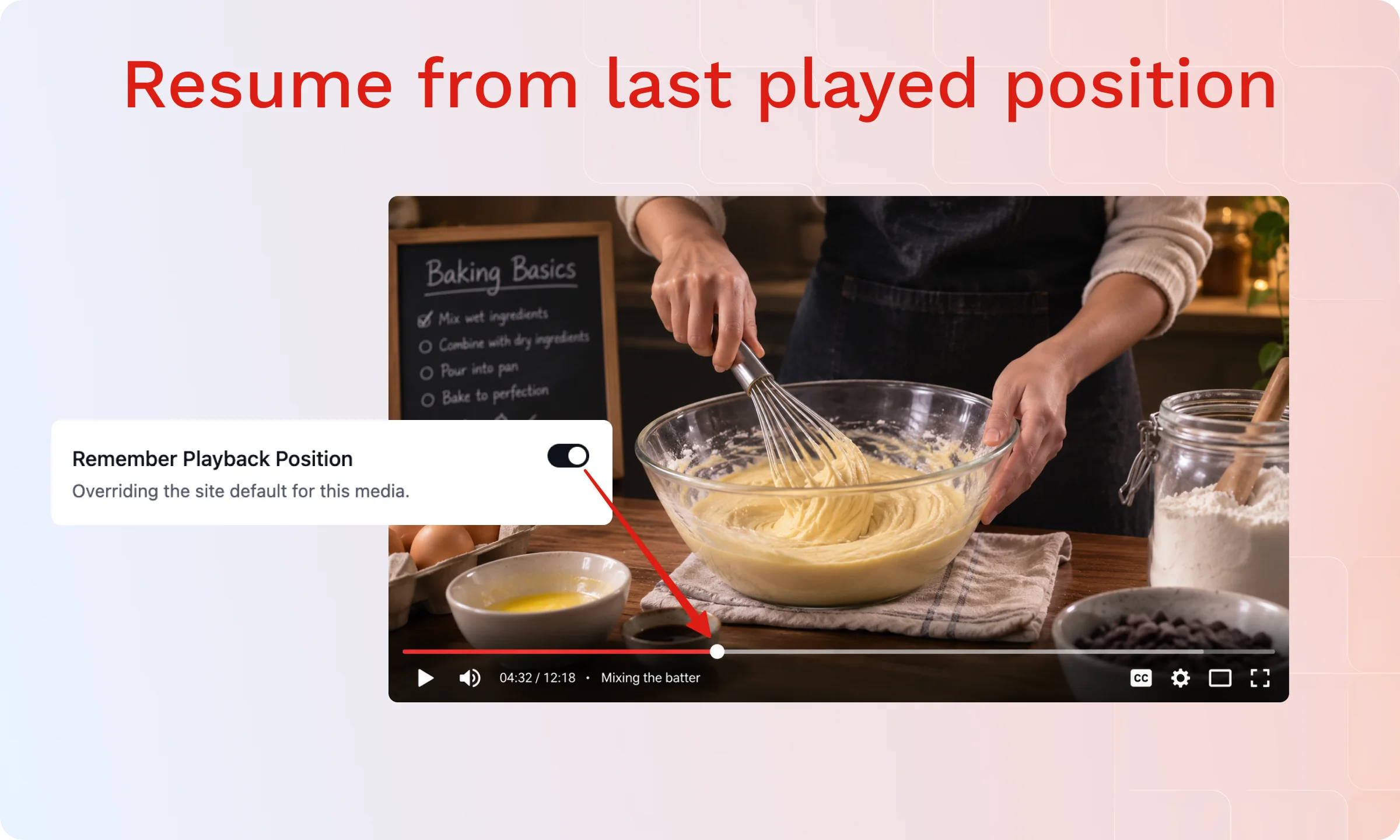
A viewer clicks play on lesson four, watches half of it, and closes the tab. Tomorrow, or next week, they come back and click play again, starting from the beginning, because the free player has no memory of where they left off. For one video, that’s a minor annoyance. Across a full course, it’s friction on every single session a member has with your content.
How Pro handles returning learners
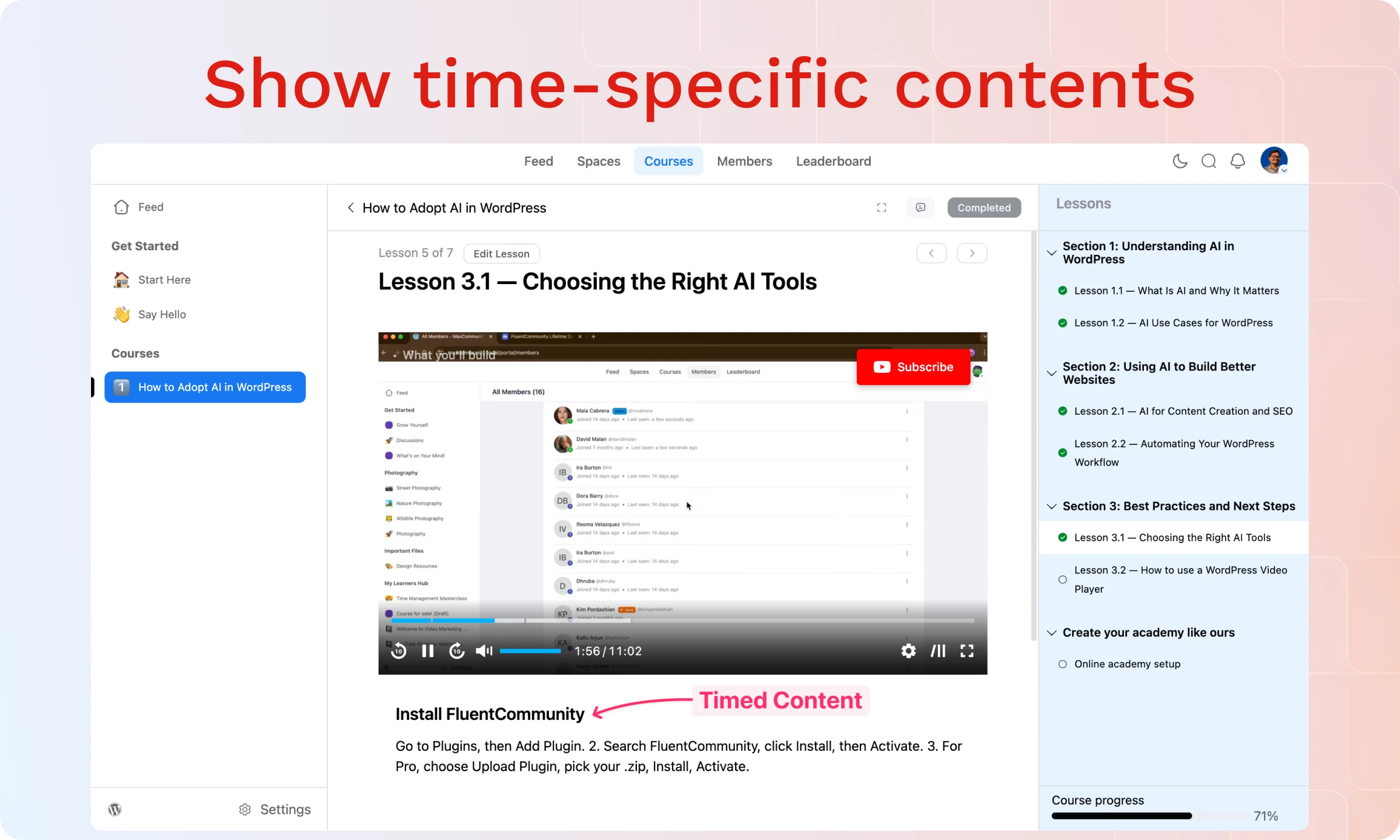
The player remembers where each viewer stopped and resumes automatically. Lessons group into playlists with a standard sidebar layout or a grid layout; timed content can stay locked until the right point in the course, and all of it carries over into FluentCommunity if that’s where your courses live.
A returning viewer picks up exactly where they left off, without hunting through a video to find their place.
How you’ll know it’s time
You’ll run into this the first time a member complains, or just quietly stops finishing your course, because restarting lesson four from zero every time they log back in is enough friction to make them give up before lesson five. It also shows up once you’re building anything with more than a handful of videos and no way to group them, since a page full of separate embeds asks a learner to do the organizing work the player should be doing for them.
Add Playlists and Resume Playback →
Stay Free Until One of These Shows Up
If you’re embedding a few YouTube videos and collecting emails through a basic form, stay on the free version. It does that job well, and there’s no reason to pay for capacity you won’t use.
If you’re running a course, building a funnel, or need to prove your video is actually converting, you need the measurement and control layer only Pro provides.
Match the Toolset to the Job
The real question was never “is free good enough.” It’s “has your video started doing a job free was never built to measure, control, or scale.” Once the answer is yes, even for one sign, FluentPlayer Pro isn’t an upgrade so much as the toolset that already matches what you’re asking video to do.
Compare Free vs. Pro Features →
Frequently Asked Questions
What’s the real difference between FluentPlayer free and Pro?
Free covers self-hosted video, YouTube, Vimeo, and audio playback, along with player presets, chapters, custom branding, and a basic Fluent Forms or email capture layer. Pro adds video analytics, conditional interactive layers (CTA banners, hotspots, ads, and shortcodes), playlists, remember playback position, timed content, subtitles, custom presets, and connections to Bunny Stream, Bunny Storage, Mux, Gumlet, Cloudflare Stream, and Cloudflare R2.
Is FluentPlayer’s free version good enough for a small WordPress site?
Yes, if you’re embedding a handful of videos and don’t need to measure how they perform. The free version gives you clean playback, branding, chapters, and a basic email capture layer with no time limit and no artificial restrictions. Pro only becomes necessary once you need to see viewer behavior or control the experience based on it.
Does FluentPlayer’s free plan include video analytics?
No. Video analytics, including views, watch time, completion rate, and audience retention, is a Pro-only feature. The free plan tells you a video was viewed. It doesn’t tell you how much of it people actually watched.
What video hosting does FluentPlayer Pro support?
Beyond YouTube, Vimeo, and self-hosted files, which are free, Pro adds native connections to Bunny Stream, Bunny Storage, Mux, Gumlet, Cloudflare Stream, and Cloudflare R2, all configured from inside the WordPress dashboard rather than through a third-party embed code.
Can I upgrade from free to Pro without losing my videos or settings?
Yes. Pro builds on top of the free plugin instead of replacing it, so your existing videos, presets, and settings stay exactly where they are. Upgrading unlocks the additional features without asking you to rebuild anything.
Does FluentPlayer Pro work with FluentCommunity courses?
Yes. Playlists, remember playback position, and timed content all carry over into FluentCommunity, so course and membership content gets the same resume-and-track behavior as video anywhere else on your site.
Do I need FluentCRM to use FluentPlayer’s automations?
The Media Milestone Reached and Media Layer Interaction triggers are free on both plugins, but they run inside FluentCRM’s Automation Funnels, so you’ll need FluentCRM installed alongside FluentPlayer for the automation itself to fire.